
A WordPress plugin designed for creating filterable portfolio galleries. Supports images and videos with masonry layouts and lightbox display.

AWPLife Weather Effects
Hospedagem WordPress com plugin Weather Effect – Christmas, Santa, Snow Falling, Snowflake Effect
Onde posso hospedar o plugin Weather Effect – Christmas, Santa, Snow Falling, Snowflake Effect?
Este plugin pode ser hospedado em qualquer provedor que tenha WordPress configurado. Recomendamos escolher uma empresa de hospedagem confiável, com servidores otimizados para WordPress, como o serviço de hospedagem WordPress da MCO2.
Hospedando o plugin Weather Effect – Christmas, Santa, Snow Falling, Snowflake Effect em uma empresa de hospedagem confiável
A MCO2, além de configurar e instalar o WordPress na versão mais atualizada para seus clientes, disponibiliza o WP SafePress, um mecanismo singular que assegura e otimiza seu site conjuntamente.
Por que a Hospedagem WordPress funciona melhor na MCO2?
A Hospedagem WordPress funciona melhor pois a MCO2 possui servidores otimizados para WordPress. A instalação de WordPress é diferente de uma instalação trivial, pois habilita imediatamente recursos como otimização automática de imagens, proteção da página de login, bloqueio de atividades suspeitas diretamente no firewall, cache avançado e HTTPS ativado por padrão. São recursos que potencializam seu WordPress para a máxima segurança e o máximo desempenho.
Weather Effect lets you add animated falling objects to your website. You can display snowfall during winter, falling leaves in autumn, rain drops, or festive decorations for holidays like Christmas, Halloween, and Valentine’s Day.
The plugin works by overlaying animated elements on your pages. Visitors see these effects as they browse your site, which can help create a seasonal atmosphere or celebrate special occasions.
What This Plugin Does
Weather Effect adds falling animation effects to your website. Here’s what you can display:
- ❄️ Snow and snowflakes for winter themes
- 🍂 Falling autumn leaves
- 🌧️ Rain drops with umbrella graphics
- 🎄 Christmas decorations like Santa, bells, candy, and gifts
- 🎃 Halloween elements including bats, pumpkins, and ghosts
- 💕 Valentine’s Day hearts and roses
- 🎆 New Year balloons and celebration graphics
How It Works
After installing the plugin, go to the Weather Effect settings page in your admin dashboard. Select the season or occasion you want, choose the falling objects, and save your settings. The effects will appear on your website immediately.
You can preview the effects before making them live using the Preview button in the settings panel.
Free Version Features
- Multiple seasonal themes (Christmas, Winter, Autumn, Rain)
- Snow falling animation
- Snowflake effects
- Settings panel for configuration
- Live preview option
- Works on mobile devices
Pro Version Features
The pro version includes additional falling objects and customization options:
Seasonal Themes Available:
- Christmas: Balls, Bells, Candy, Gifts, Hat, Ribbon, Santa, Sleigh, Snowman, Socks, Stars
- Winter: Snowfall, Snowflakes
- Autumn: Falling Leaves
- Spring: Spring Leaves
- Summer: Summer themed graphics
- Rain: Rain Drops, Umbrella, Clouds
- Halloween: Ghost, Bats, Moon, Pumpkin, Spider Web, Witch
- Thanksgiving: Turkey decorations
- Valentine’s Day: Roses, Hearts, Balloons
- New Year: Balloons, Celebration stickers
Additional Pro Features:
- Control falling object size randomly
- Adjust falling speed
- Set timeout for effects
- Exclude specific pages or posts
- Upload up to 10 custom images (PNG, JPEG, GIF supported)
- Enable or disable effects easily
Demo and Documentation
Capturas de tela

Christmas snow falling effect on a website
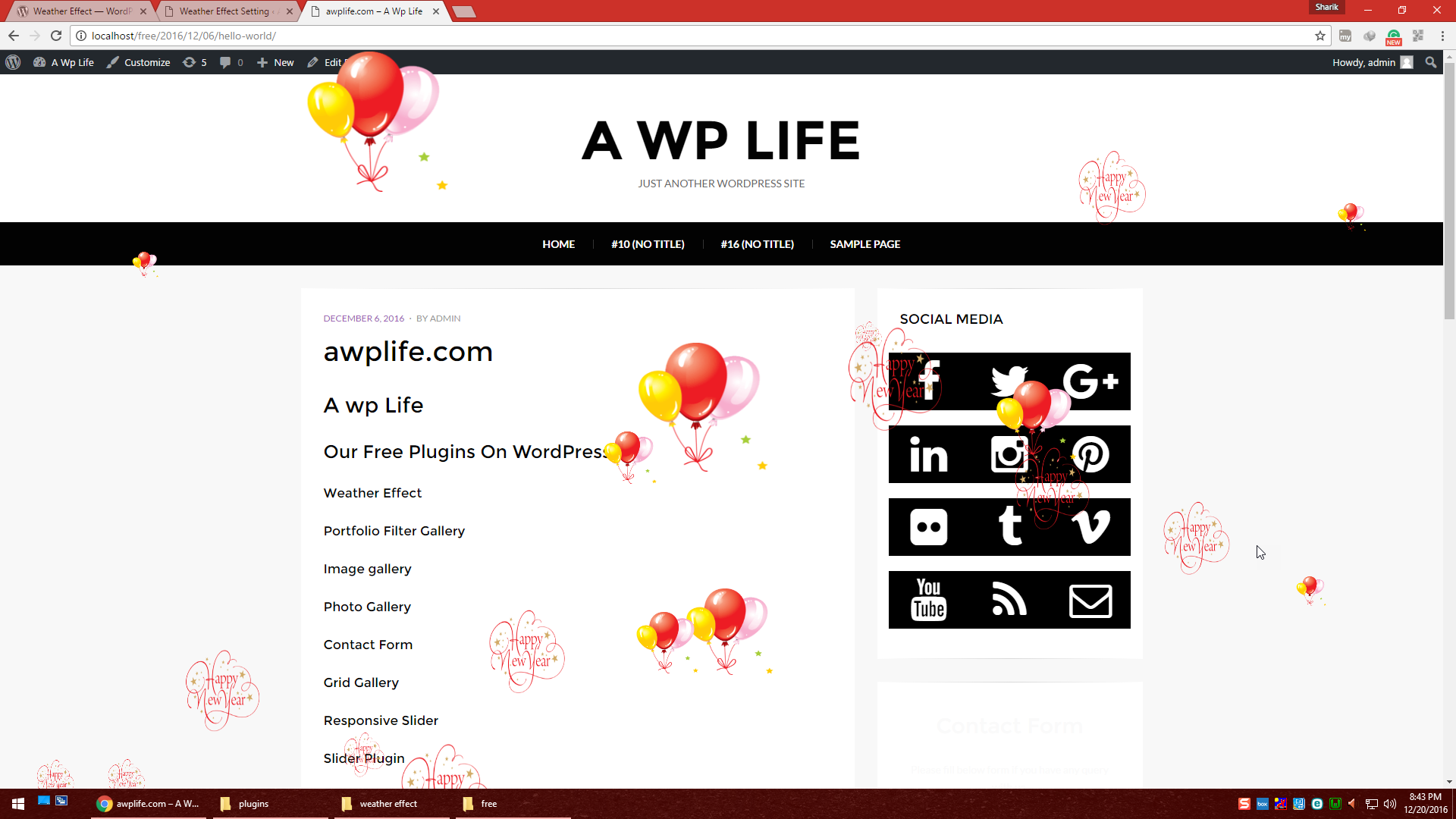
New Year celebration effect with balloons
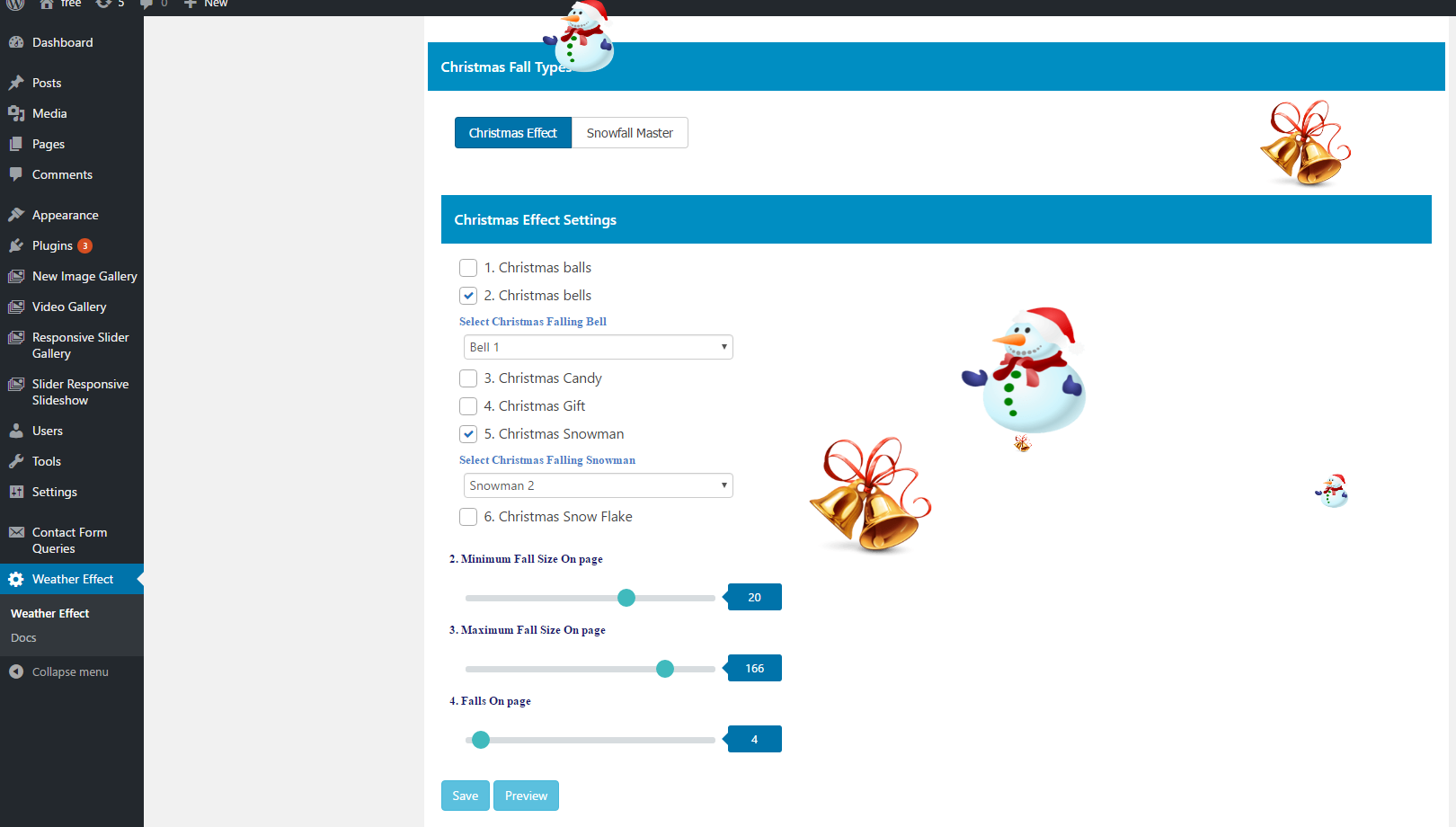
Admin settings page for Christmas effects
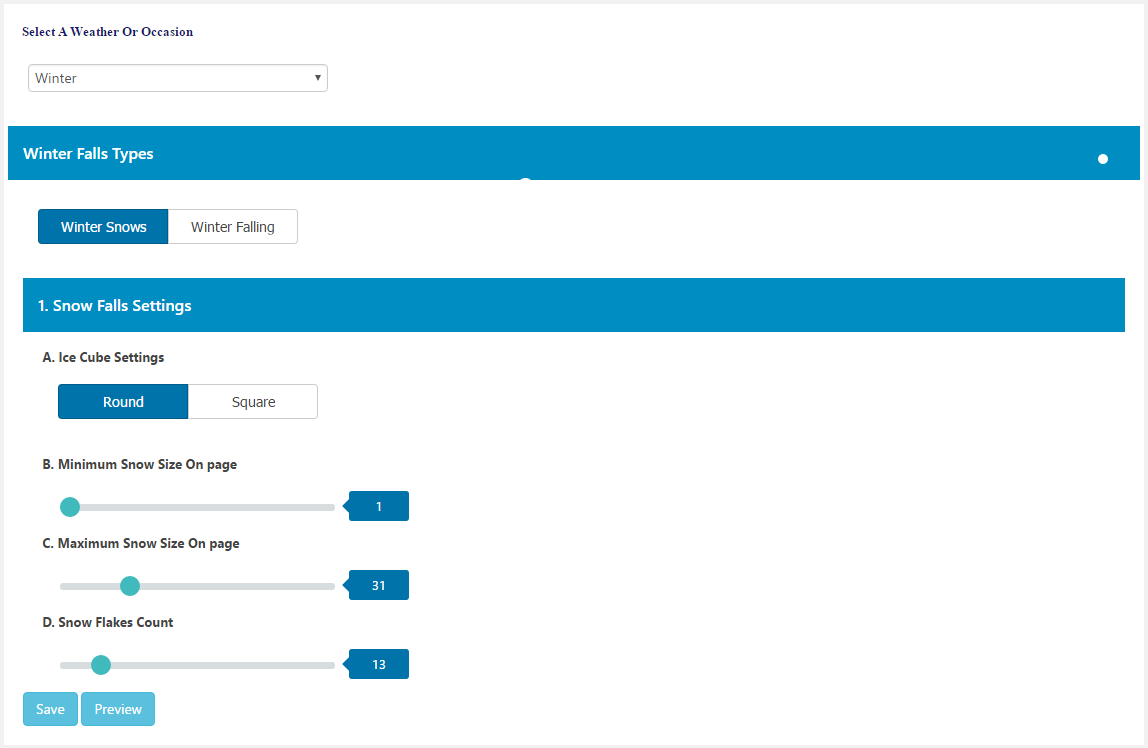
Winter season settings configuration
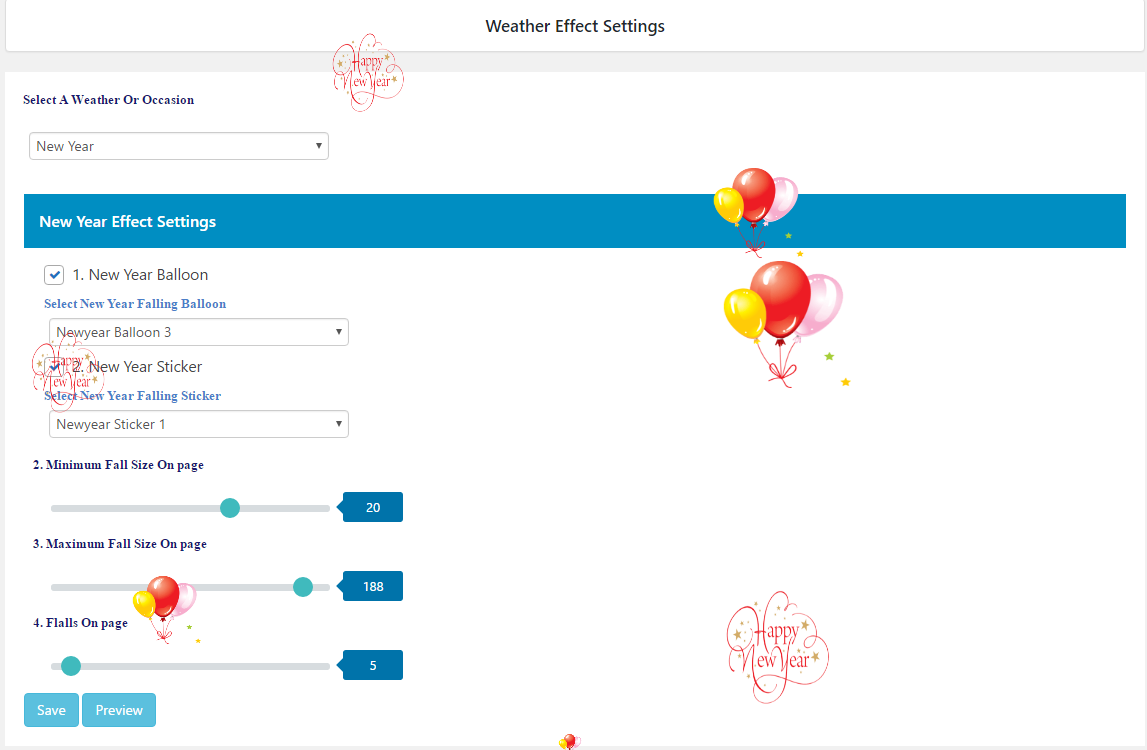
New Year settings page
Do mesmo author (A WP Life)


Blog Filter helps users display posts in filterable grid and masonry layouts. Organize content by categories or tags with customizable designs.

Powerful Social Media plugin for WordPress with customizable icons, sizes, styles, animations, responsive settings, rotate effects & widgets.

The new WordPress image gallery plugin with responsive design, multiple columns, lightbox preview, portfolio & photo gallery features!

Image album, photo album, video album, content gallery: Simplify photo and video album management with responsive lightbox and settings.

Create responsive and customizable pricing tables for WordPress with ease. Shortcodes, templates, and mobile-ready.