
PayPal's latest payment processing solution. Accept PayPal, Pay Later, credit/debit cards, alternative digital wallets and bank accounts.

Event Tickets with Ticket Scanner
Hospedagem WordPress com plugin Event Tickets with Ticket Scanner
Onde posso hospedar o plugin Event Tickets with Ticket Scanner?
Este plugin pode ser hospedado em qualquer provedor que possua WordPress configurado. Recomendamos fortemente optar por uma hospedagem seguro, com servidores otimizados para WordPress, como o serviço de hospedagem WordPress da MCO2.
Hospedando o plugin Event Tickets with Ticket Scanner em uma empresa de hospedagem seguro
A MCO2, além de configurar e instalar o WordPress na versão mais atual para seus clientes, disponibiliza o plugin WP SafePress, um sistema exclusivo que protege e otimiza seu site ao mesmo tempo.
Por que a Hospedagem WordPress funciona melhor na MCO2?
A Hospedagem WordPress funciona melhor pois a MCO2 possui servidores otimizados para WordPress. A instalação de WordPress é diferente de uma instalação trivial, pois habilita imediatamente recursos como otimização de imagens, proteção da página de login, bloqueio de atividades maliciosas diretamente no firewall, cache avançado e HTTPS ativado por padrão. São plugins que potencializam seu WordPress para a máxima segurança e o máximo desempenho.
Run your entire ticketing workflow inside WordPress. No platform service fees, no per-ticket commissions — you only pay your payment processor (Stripe, PayPal, etc.) like any WooCommerce product.
Event Tickets with Ticket Scanner turns any WooCommerce product into a scannable event ticket — complete with QR code, downloadable PDF, and a built-in mobile ticket scanner for your team at the door.
Unlike ticketing platforms that charge service fees on paid tickets, this plugin adds no per-ticket commission — you keep your ticket revenue (minus your payment processor’s standard fee). Unlike other WordPress plugins, you get a visual seating plan designer and a ticket PDF designer included — not as expensive add-ons.
Active on 1,000+ WordPress sites — from small community events to large concert venues.
Who is this for?
- Concert & festival organizers — sell general admission or assigned seats with interactive seat selection
- Theaters & venues — design your seating layout with drag & drop, let customers pick their seats
- Sports events & arenas — handle high volumes with offline fallback and team scanner access
- Conferences & congresses — give attendees a private companion portal with programme, speakers, downloads and time-controlled access, opened straight from the ticket (see “Congress & Attendee Portal” below)
- Single events with an info app — any event, not just big congresses: build a mobile info page (schedule, speaker info, downloads, support pages) your visitors open with their ticket — no separate app to install
- Clubs, spas, gyms & theme parks — sell multi-entry passes, family tickets, or memberships with expiration
- Community events & fundraisers — get started in minutes with the free version (up to 50 tickets)
How it works — 3 steps
- Install the plugin and create a ticket list under “Event Tickets”
- Enable “Ticket Sales” on any WooCommerce product
- Customers receive a unique QR code ticket — scan and redeem at the entrance
That’s it. No coding required. Watch the quickstart video
🎨 Visual Seating Plan Designer
Create professional venue layouts without any design tools:
- Drag & drop seats, shapes, labels, and text onto your canvas
- Upload venue floor plans as background images
- Rotate, duplicate, and bulk-edit elements
- Color-code seat categories and pricing tiers
- Customers see a real-time interactive seat map during checkout
- Seats are automatically blocked during checkout and released on cancel/refund
🎟️ Ticket PDF Designer
Design tickets that match your brand — not generic templates:
- Add your logo, custom colors, header and background images
- Position QR codes exactly where you want them
- Create event badges for staff and VIP passes
- Multi-page PDF support with attached documents
- Full bleed mode for edge-to-edge designs
📱 Built-in Ticket Scanner
No extra app needed. The scanner runs in any mobile browser — or install it as a PWA:
- Scan QR codes with your phone camera — works on iOS and Android
- Install as PWA — add to home screen for instant launch without browser chrome
- Fullscreen mode — immersive scanning with a single tap
- Haptic feedback — vibration confirms valid/invalid tickets instantly
- Grant team members scanner access via Auth Tokens (no WordPress login needed)
- See ticket details, seat position, and venue map instantly after scan
- Voice output confirms valid/invalid tickets for fast processing
- Protection against fake tickets, double redemption, and brute-force attempts
- Supports hardware barcode scanners for high-traffic entrances
- Customizable theme color to match your brand
📲 Vollstart Wallet — All Tickets in One App
Your customers can collect tickets from multiple shops in one free app:
- Vollstart Wallet at wallet.vollstart.com — a Progressive Web App that works on iOS, Android, and desktop
- Tickets are added with one click from the ticket page or order email
- QR code always available — even offline
- Privacy first — ticket data flows directly from your shop to the customer’s browser. Vollstart never receives or stores any data
- Learn more about security & privacy
Enable it in Settings Digital Wallets. Free for all users.
🎓 Congress & Attendee Portal
Give ticket holders a private event portal — no extra login, no separate app. Assign a congress to any ticket product and buyers reach it straight from their ticket ID.
- Organize content into pages — a start page plus as many pages as you need (Speakers, Programme, Downloads, Sponsors …), with a sidebar on desktop and a hamburger menu on mobile
- Rich section types — formatted text, a day-by-day programme schedule, downloadable files, link lists, image galleries, single images, and embedded videos (paste a YouTube/Vimeo link or upload your own)
- Password-protect individual sections for VIP or speaker-only content
- Fast by design — the start page loads instantly and other pages are fetched on demand, so even congresses with dozens of speakers stay snappy
- Installable & offline-friendly — the portal ships as a mini Progressive Web App
- Time-controlled access — open the portal a set number of hours before the event and keep it available for a chosen number of days afterwards
- Recurring events — duplicate a congress as a “new edition” in one click
Build it under the Congresses menu, assign it in the product’s Event Tickets tab, and optionally add a portal link to the order email. Included free.
Powerful Ticket Types
- Single entry — classic one-time event ticket
- Multi-entry passes — allow multiple scans (configurable limit)
- Family tickets — generate multiple tickets per order item
- Memberships & season passes — set expiration dates
- Day chooser tickets — let customers pick their event date at checkout
- Purchase allowance codes — require a valid ticket or access code before a product can be bought. Use it for presale and access codes, or to require a ticket from an earlier event (for example a group-stage ticket in order to buy the final). Per product you decide whether a code unlocks one purchase or several
Built for WooCommerce
- Works with product variants (e.g., VIP vs. General Admission)
- Tickets auto-generate on order completion
- Refunded orders automatically recover and recycle ticket numbers
- Compatible with WooCommerce Subscriptions
- Works with WooCommerce PDF Invoices & Packing Slips
- WPML compatible for multilingual stores
Free vs. Premium
The free version covers everything you need to start selling tickets — ideal for small events up to 50 tickets:
- ✅ Ticket generation with QR codes (up to 50 tickets, 5 ticket lists)
- ✅ PDF ticket download (via link in email)
- ✅ Built-in ticket scanner
- ✅ Interactive seating plan designer (1 plan, up to 20 seats)
- ✅ Seat selection at checkout
- ✅ Multi-entry and family tickets
- ✅ Day chooser for date-based events
- ✅ Congress / attendee portal (pages, programme, downloads, media, password-protected sections)
- ✅ Purchase allowance codes (presale/access codes, or require a ticket from an earlier event)
- ✅ Webhooks for third-party integrations
Premium adds professional features for larger events and removes all ticket limits:
- 🔓 PDF ticket as email attachment (not just a link)
- 🔓 Team scanner access via Auth Tokens
- 🔓 Calendar invites (ICS files) in emails
- 🔓 Custom flyers and multi-page PDFs
- 🔓 CVV security check on tickets
- 🔓 Brute-force IP blocking
- 🔓 Unlimited tickets (removes the 50-ticket free limit)
- 🔓 Advanced shortcodes for ticket display and validation
Links
Capturas de tela
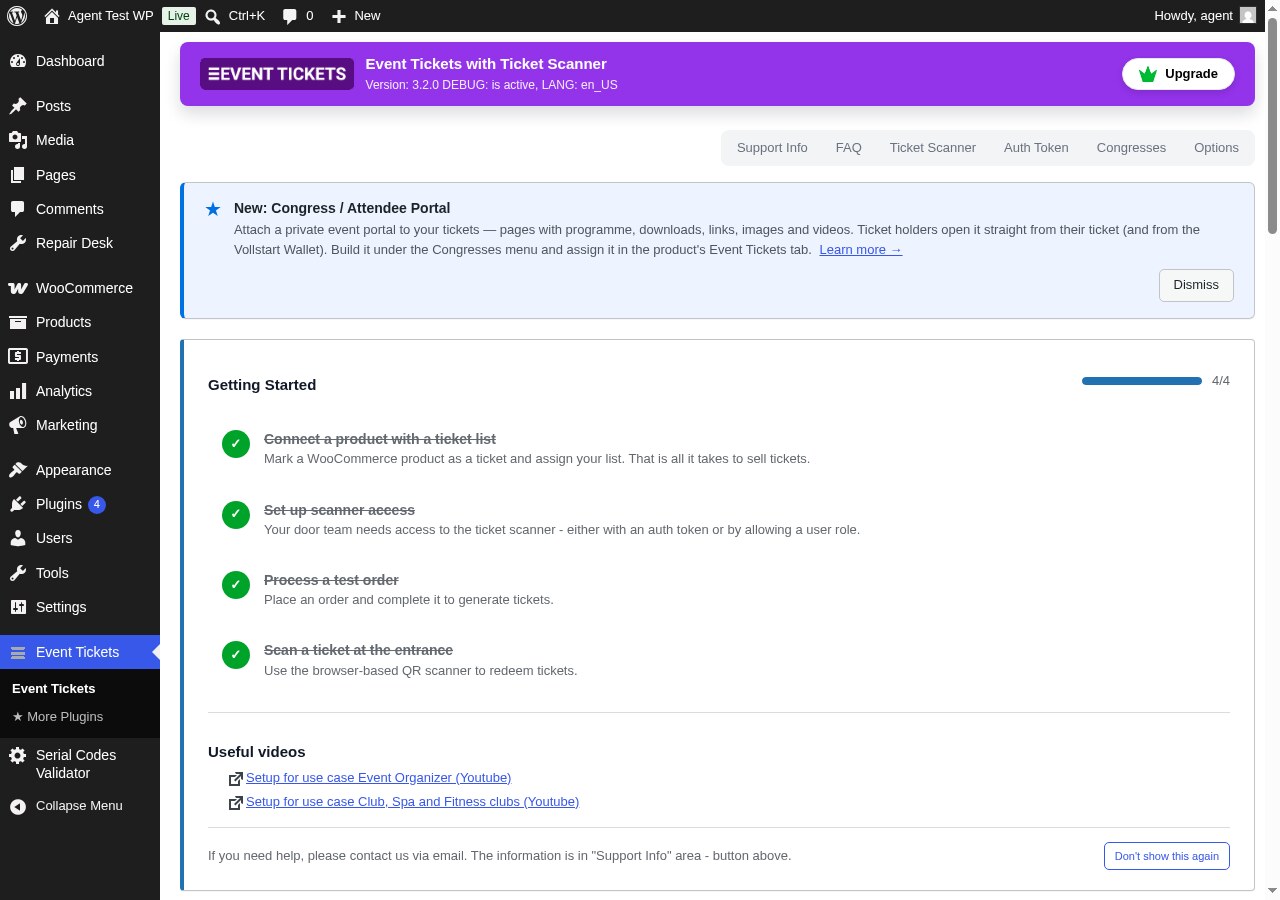
Event Tickets Dashboard — Manage ticket lists, sold tickets, and everything else from one place in your WordPress admin.
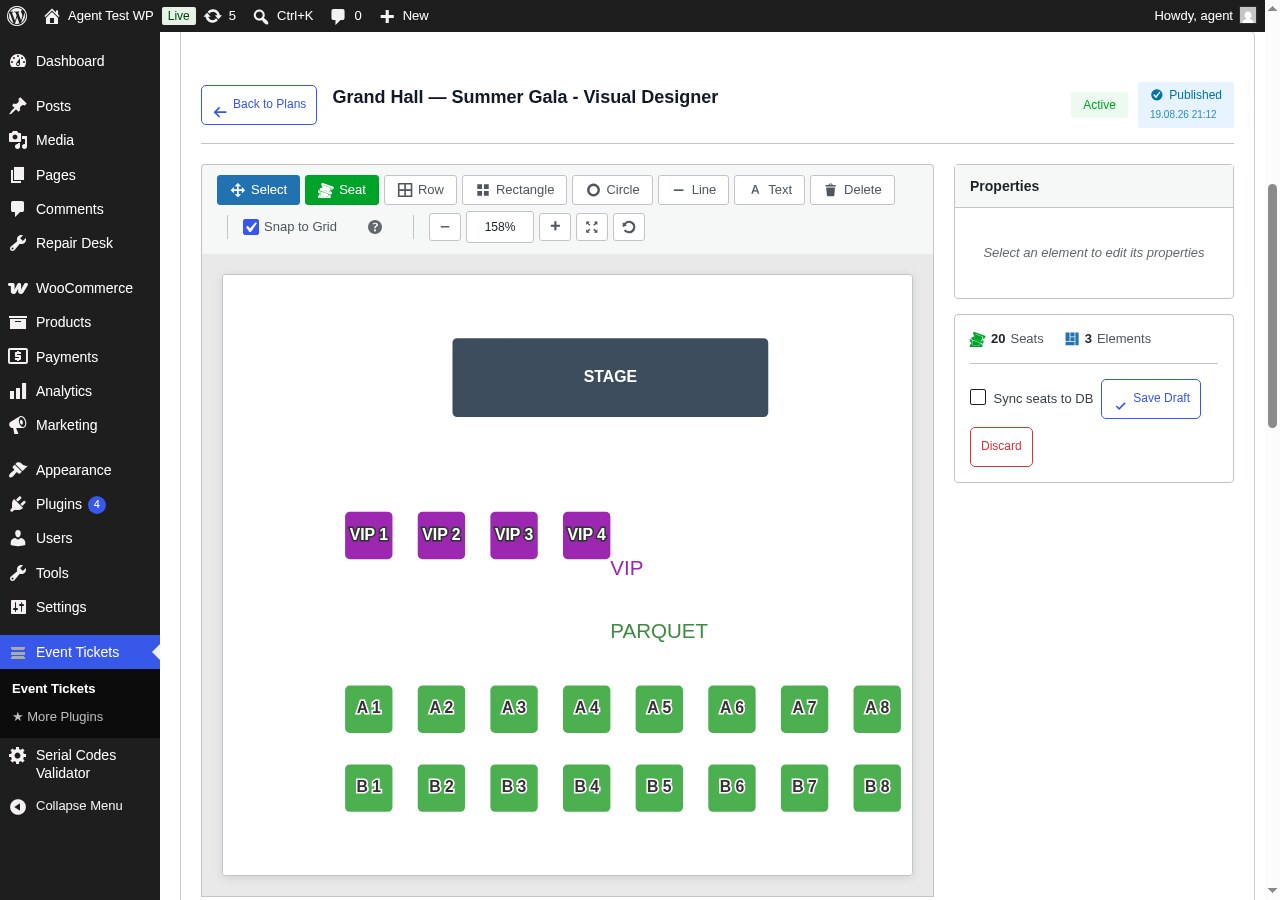
Visual Seating Plan Designer — Drag & drop seats, rows, shapes and labels to design your venue. No design tools needed.
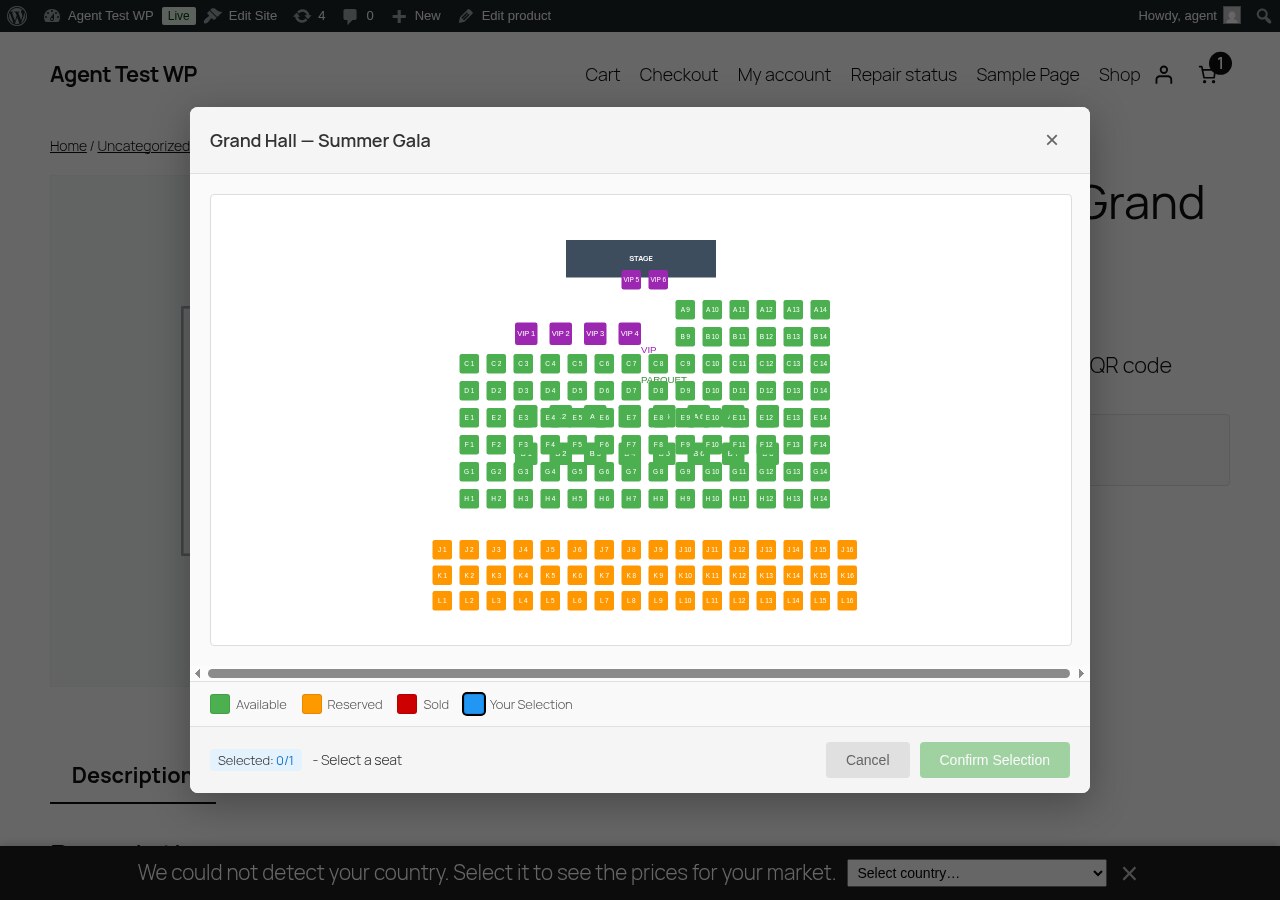
Interactive Seat Map at Checkout — Customers pick their own seat on a live seat map. Taken seats are blocked automatically.
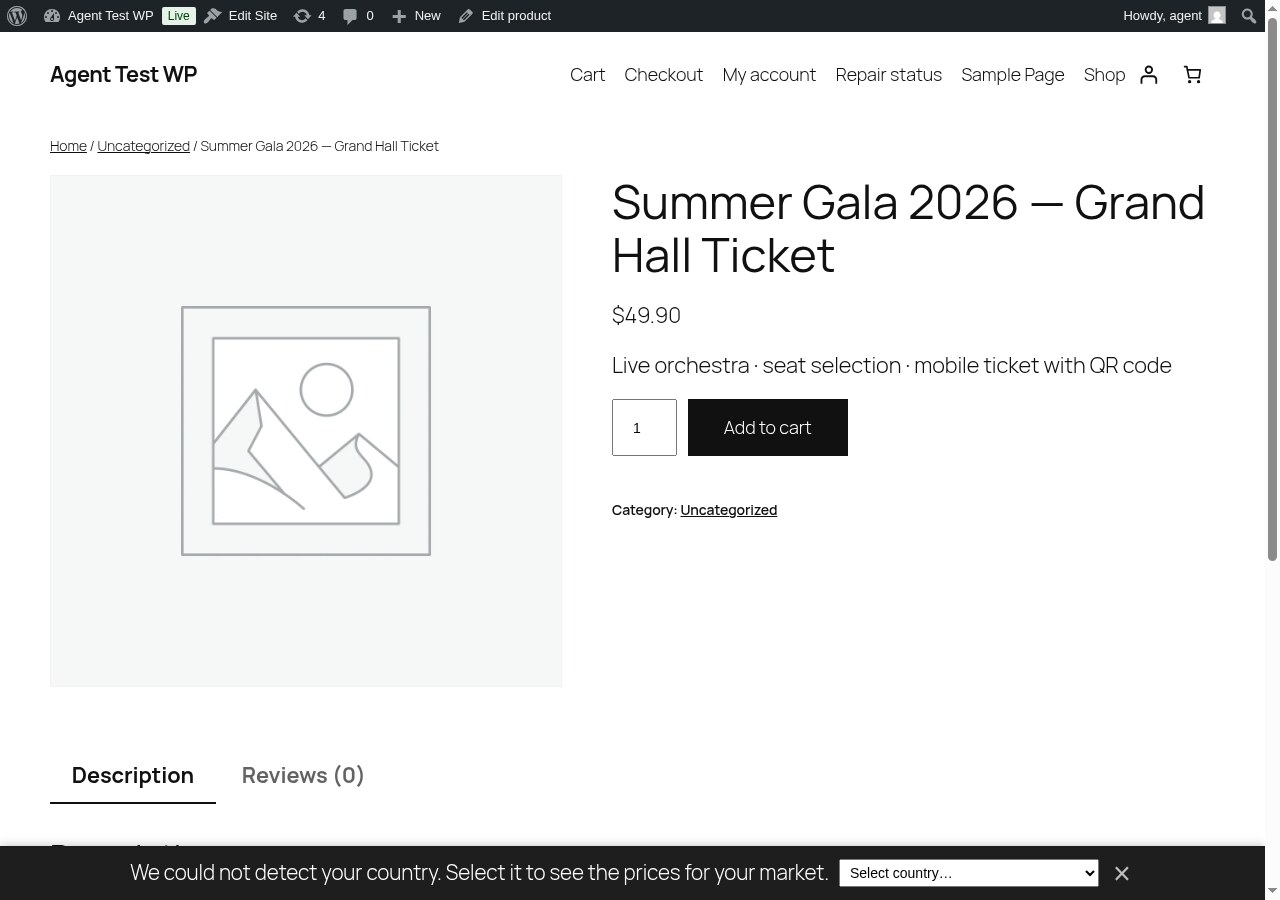
Sell Tickets as WooCommerce Products — Any product becomes a ticket with one checkbox. Works with variations like VIP or General Admission.
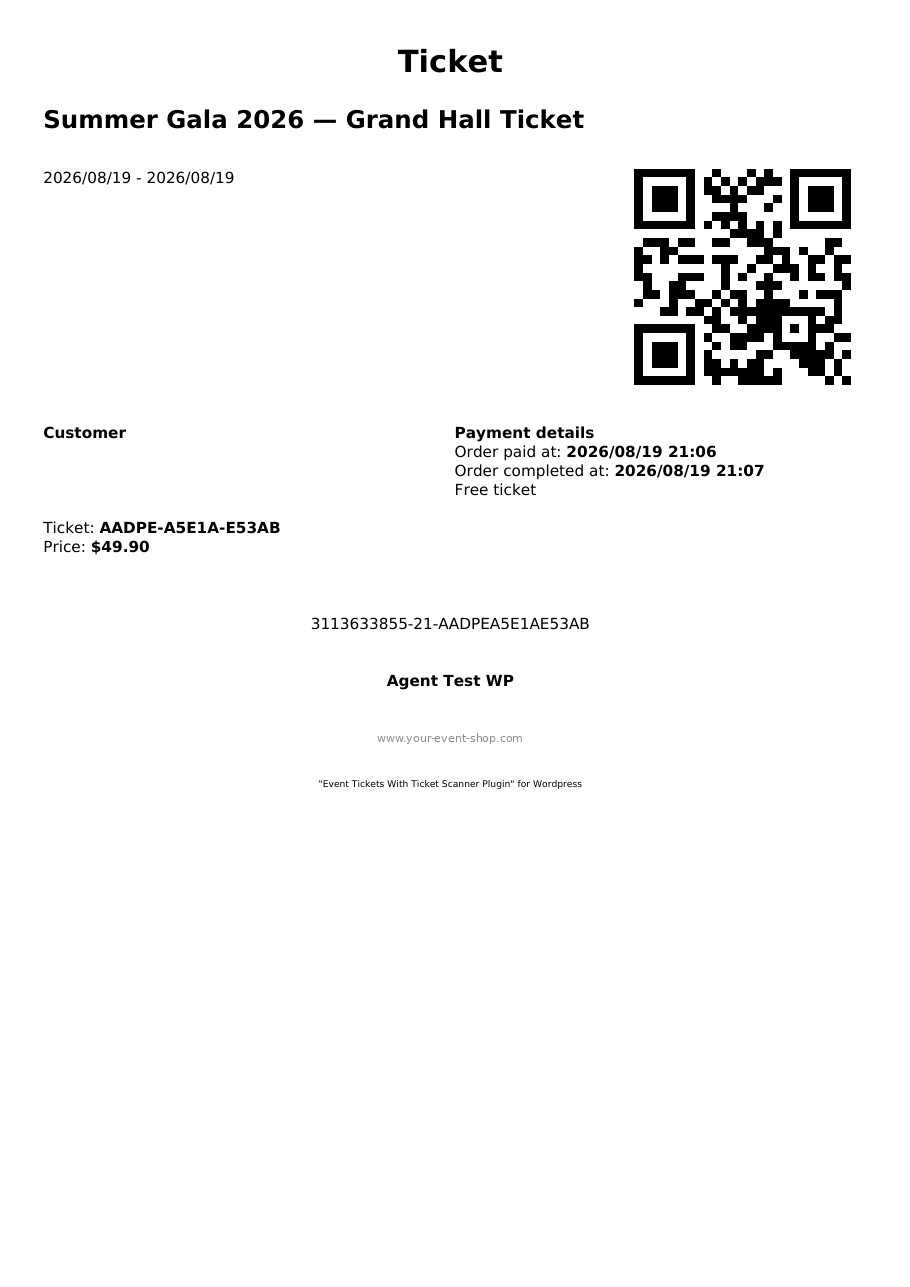
PDF Ticket — Branded PDF ticket with QR code, ready for print or mobile display.
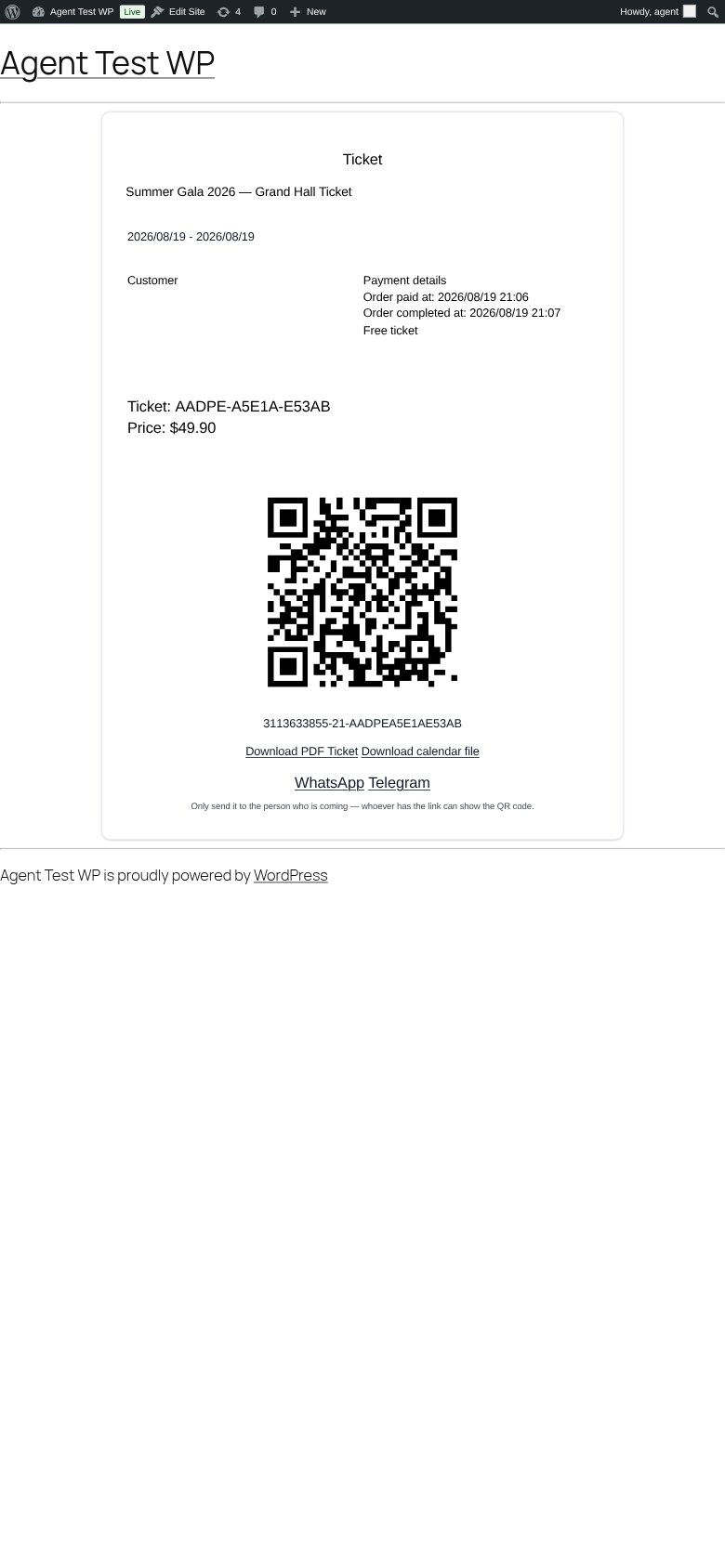
Ticket on Mobile — Customers see their ticket with QR code, PDF download and calendar file on any device.
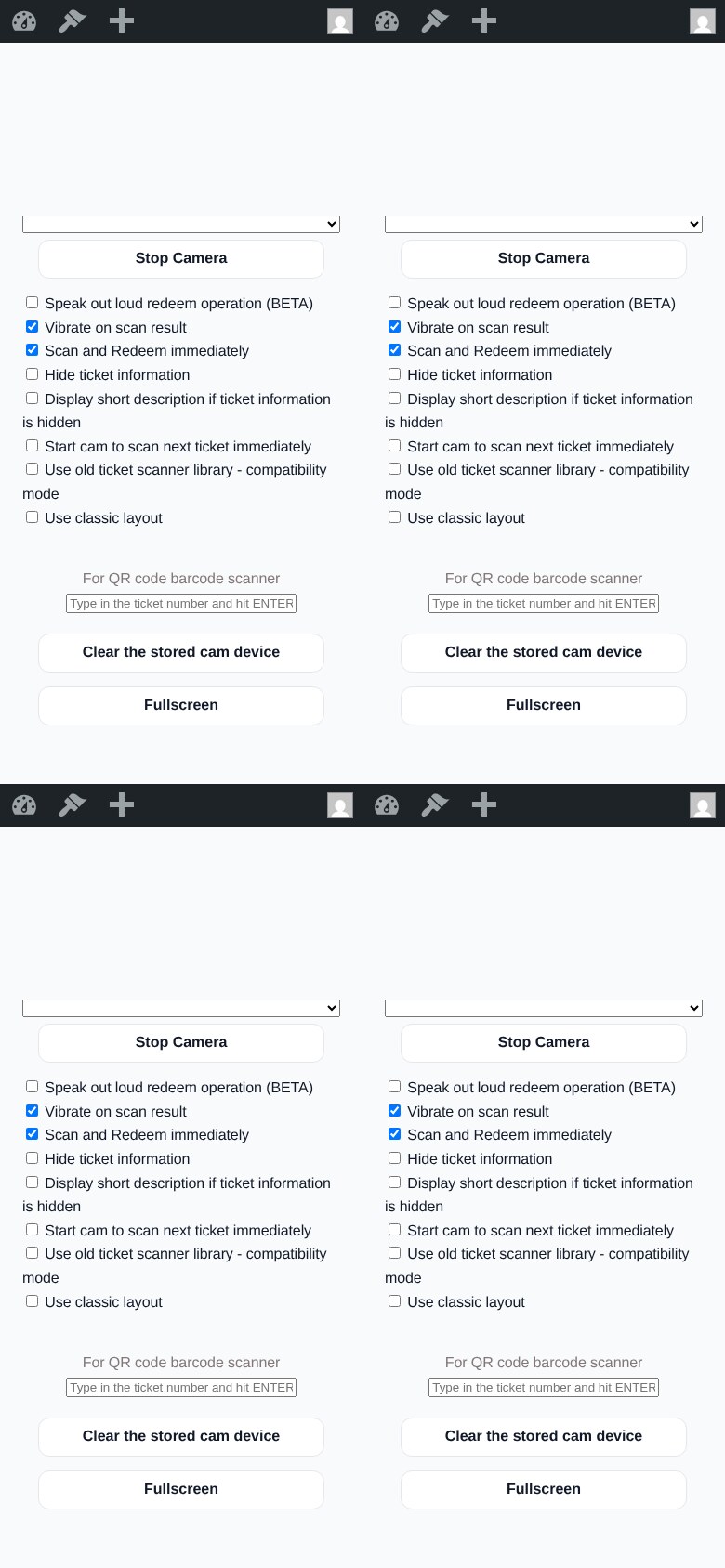
Ticket Scanner — Scan and redeem tickets with any phone. No extra app required; installs as a PWA with fullscreen mode.
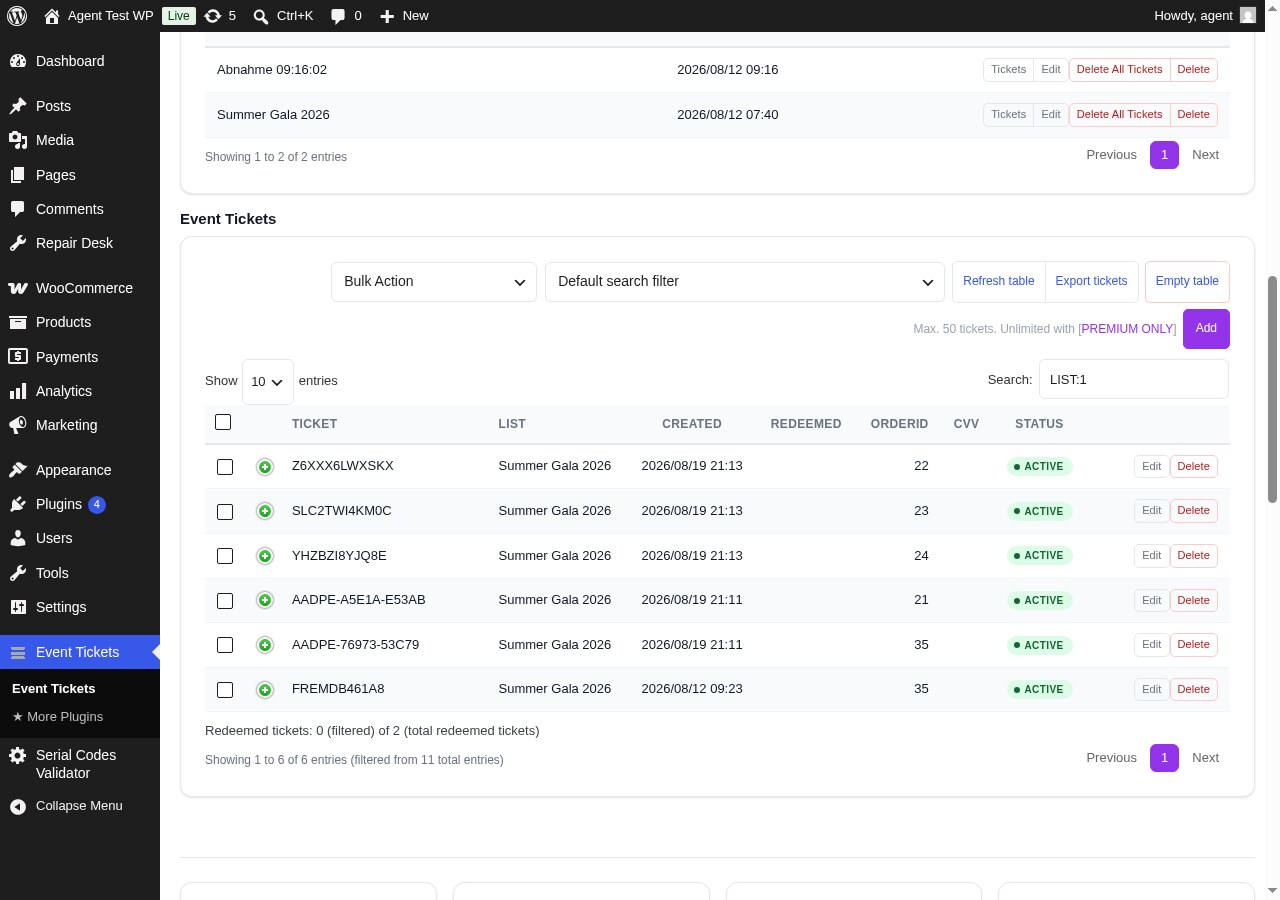
Ticket Management — All generated tickets with status, redemption info, filters and CSV export.
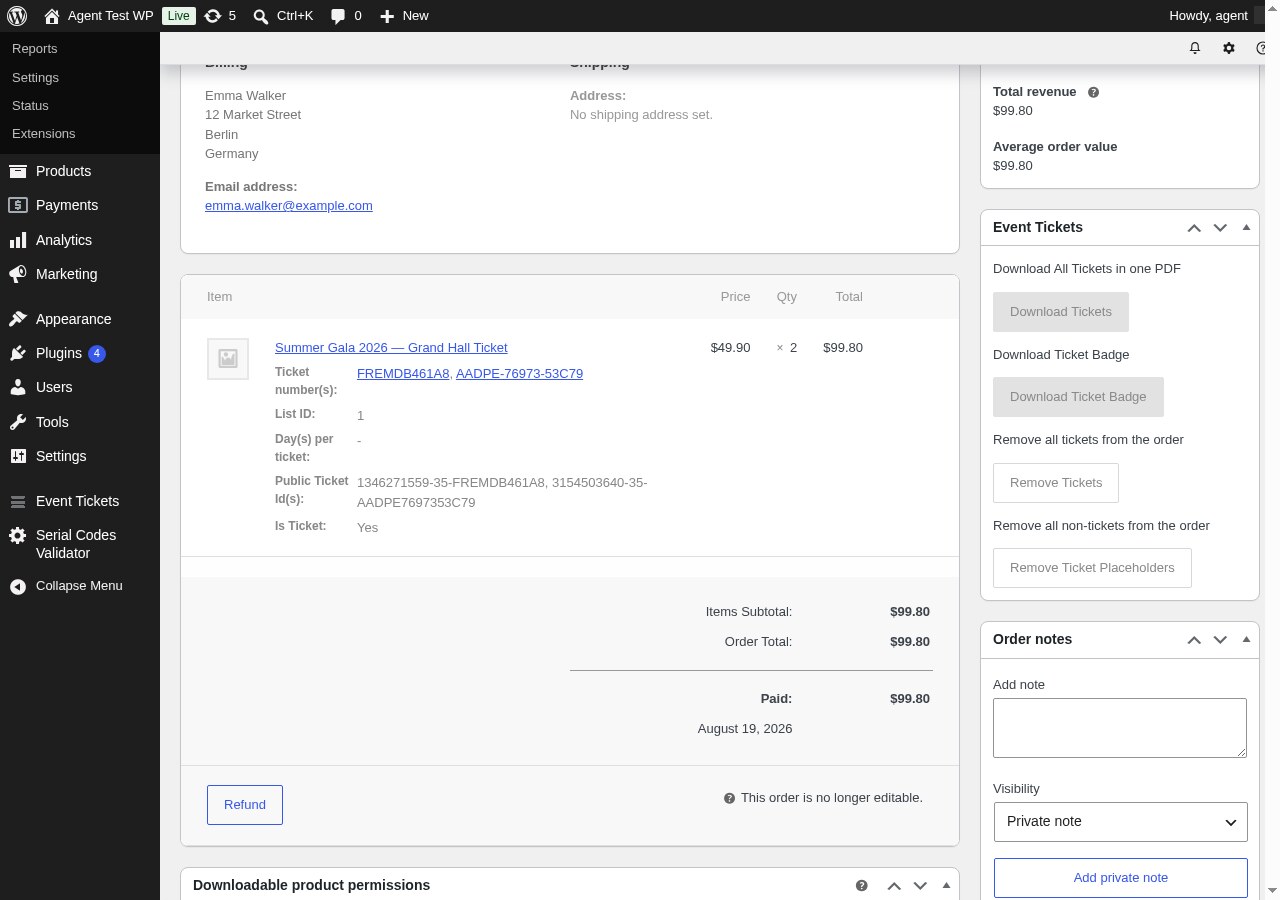
Tickets on the Order Page — See and quick-scan the tickets of every WooCommerce order directly in the order detail view.
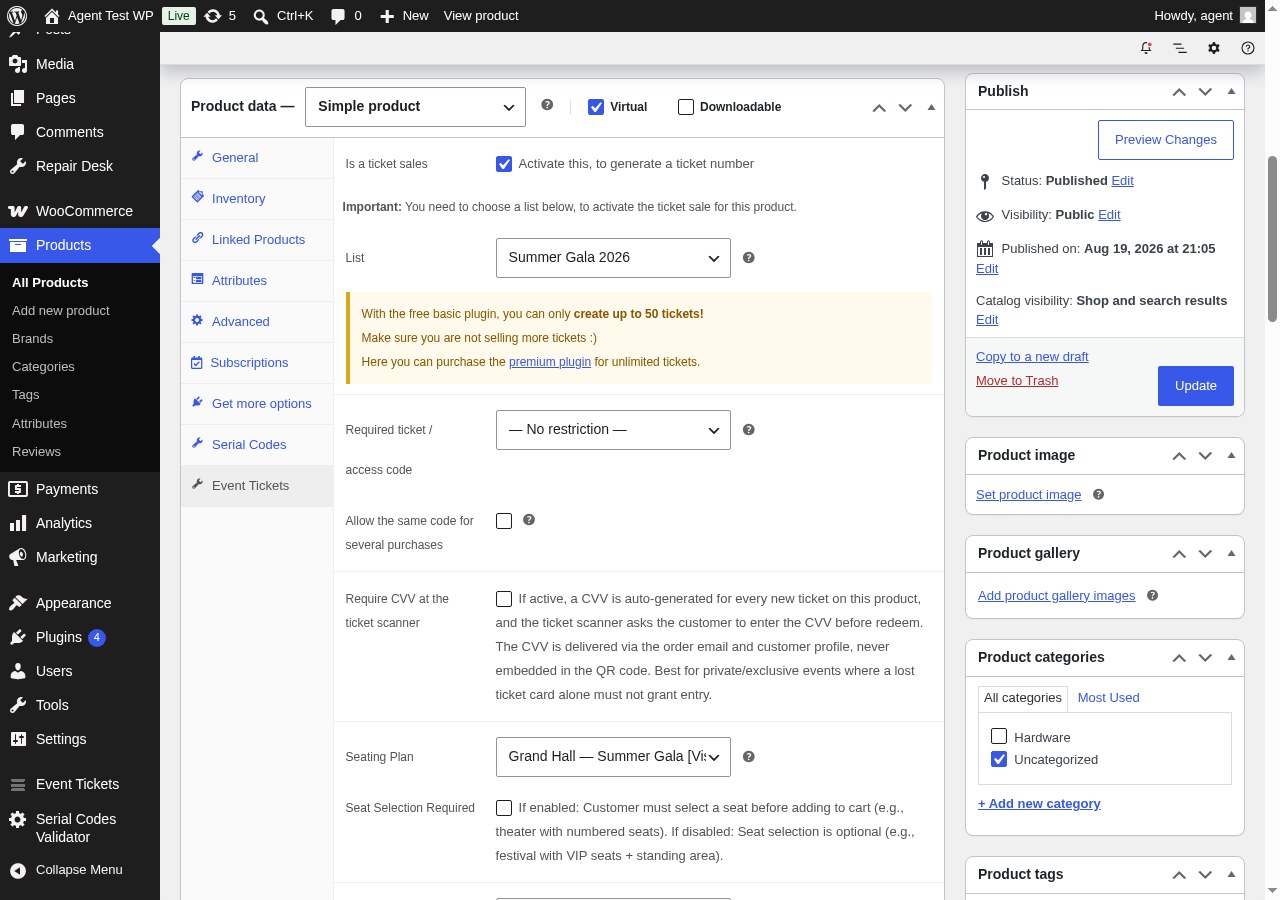
Product Settings — Enable ticket sales, assign a ticket list and a seating plan on the product's Event Tickets tab.
Plugins semelhantes

Native integration with Google that allows merchants to easily display their products across Google’s network.

We’re here to help with tax rates: collect accurate sales tax, automatically.

YITH WooCommerce Wishlist add all Wishlist features to your website. Needs WooCommerce to work. WooCommerce 11.2.x compatible.

The WooCommerce Legacy REST API, which is now part of WooCommerce itself but will be removed in WooCommerce 9.0.

Crie, imprima & envie automaticamente por e-mail faturas em PDF ou XML & notas de embalagem em PDF para pedidos do WooCommerce.