Embed PDF files in WordPress posts and pages with a responsive PDF viewer block, live Block Editor preview, and no third-party services.

Document Embedder – let visitors read files without downloading
Hospedagem WordPress com plugin Document Embedder
Onde posso hospedar o plugin Document Embedder?
Este plugin pode ser hospedado em qualquer hospedagem que tenha WordPress configurado. Recomendamos fortemente utilizar um provedor de hospedagem de confiança, com servidores otimizados para WordPress, como o serviço de hospedagem WordPress da MCO2.
Hospedando o plugin Document Embedder em um provedor confiável
A MCO2, além de configurar e instalar o WordPress na versão mais nova para seus clientes, fornece o WP SafePress, um mecanismo singular que protege e aumenta a performance do seu site conjuntamente.
Por que a Hospedagem WordPress funciona melhor na MCO2?
A Hospedagem WordPress funciona melhor pois a MCO2 possui servidores otimizados para WordPress. A instalação de WordPress é diferente de uma instalação trivial, pois habilita imediatamente recursos como otimização automática de imagens, proteção da página de login, bloqueio de atividades maliciosas diretamente no firewall, cache avançado e HTTPS ativado por padrão. São recursos que potencializam seu WordPress para a máxima segurança e o máximo desempenho.
Let visitors read your PDFs, Word docs, spreadsheets, and presentations right on the page – no downloads, no leaving your site.
Document Embedder | Documentation | Pricing | Support | Demo
Document Embedder allows you to embed PDF, Word, Excel, PowerPoint, and other document formats directly into WordPress posts and pages. It supports local file uploads as well as files hosted on platforms like Google Drive and Dropbox. Files are displayed using the Google Drive viewer and can be configured to match your layout.
The new Document Library module adds a powerful way to organize and display multiple documents in a structured library. You can upload files from your device, WordPress Media Library, or via URL, rename or delete documents easily, and display them with customizable layouts. The library includes search, filter, and sorting options, a responsive design, and full control over view and download buttons. Shortcode and Gutenberg block support make it easy to add libraries anywhere on your site.
Want to capture leads before someone downloads? The Email Gate (Pro) requires visitors to submit their name and email before they can access a file. Every submission is logged to a built-in Leads Dashboard you can search, filter, and export as CSV.
This plugin is ideal for sharing reports, presentations, worksheets, guides, and other materials without requiring visitors to download them or leave your site.
Key Features – Free Version
-
Multiple Viewer Engines: Choose between Default (Google Viewer), Custom PDF (local high-performance PDF.js), Interactive 3D/2D FlipBook, or Slideshow-style Slider viewers completely free.
-
Embed Multiple File Types: PDF, Word, Excel, PowerPoint, images, code, and more.
-
Responsive Viewer: Adjust width and height to fit any layout — with independent controls for Desktop, Tablet, and Mobile.
-
Live Preview While You Edit: See exactly how the document will look to visitors, right on the edit screen, before you save anything.
-
Filename Display: Show the document title at the top for clarity.
-
Download Button: Easily allow users to download PDFs with a customizable button label (e.g., “Get Copy,” “Save PDF”).
-
Download Placement: Position the download button in the Toolbar or Below the Embed.
-
Download Behavior: Choose between Force Save Dialog (prompts users to save locally) or Open in New Tab.
-
Custom Download Filename: Define the exact filename shown to users when they download the file.
-
Download Counter & Limits: Show how many times a file has been downloaded, and cap downloads per visitor.
-
Gutenberg Block Support: Use the native Document Embed block in the WordPress Block Editor (Gutenberg) to insert, upload, and configure documents with a real-time live preview.
-
Simple Shortcode Embedding: Prefer the Classic Editor or page builders? Use the
[doc id="123"]shortcode to place documents anywhere on your site — Elementor, Divi, Bricks, WPBakery, Beaver Builder, Oxygen, Breakdance, and more. -
Dedicated Post Type: Manage all your documents individually using the
ppt_viewercustom post type.
Document Library Module
-
Display Multiple Documents: Create a structured library of documents.
-
Support all File Types: Works with PDFs, Word, Excel, PowerPoint, images, and more.
-
Flexible Upload Options: Add documents from your device, WordPress Media Library, or via URL.
-
Quick Edit & Delete: Rename or remove documents without hassle.
-
Shortcode and Block Support: Add libraries anywhere using shortcode or Gutenberg block.
-
Customizable Layouts: Style the library to match your design needs.
-
Search and Filter Controls: Enable or hide search and filter options.
-
Sorting Options: Sort by file size, name, or recent upload, with hide/show controls.
-
Responsive Design: Optimized for desktops, tablets, and mobile devices.
-
Download & View Buttons: Show view/download icons or text, with full control over display.
-
Visibility Settings: Hide or show file icon, view button, download button, file size, and date.
Pro Version – Unlock More Features
Upgrade to Document Embedder Pro for more flexibility, better user control, and advanced integrations.
What’s Included in Pro:
-
Secure Email Gate for Downloads: Require visitors to submit Name and Email before they can download a document. Turn any file into a lead magnet.
-
Leads Dashboard & CSV Export: Every submission is logged to a searchable, filterable dashboard you can export as CSV in one click.
-
View Access Control: Show a document only to logged-in users or to specific user roles, with your own message for everyone else. Restricted visitors never receive the file link at all.
-
Secure Document Delivery: Serve local PDFs through a signed, expiring, IP-bound link instead of exposing the file URL in your page.
-
Download Access Control: Limit downloads to logged-in users only, or restrict them by specific user roles.
-
Interactive Overlays: Place notes, highlights, links, and call-to-action buttons on any page of a PDF. Positions are percentage based, so they stay aligned at any zoom level.
-
Lightbox Display: Open documents in a modal popup — triggered by a styled button, an image, or any element on your page.
-
Custom Toolbar Themes & Color Customizer: Style your toolbar with Dark, Light, or fully Custom colors.
-
Advanced Customizations for Viewer Engines: Reader Mode, thumbnail sidebar, full-screen button (in place or in a new tab), custom initial page and default zoom, horizontal scrollbar, and automatic loading of the latest file version.
-
Disable Popout Option: Prevent users from opening documents in a new window.
-
Loading Indicator: Show a spinner until the document fully loads.
-
Google Drive API Integration: Embed and manage docs directly from your Google Drive.
-
Dropbox Integration: Access and embed files from Dropbox easily.
-
Faster Pages: Lazy load embeds until a visitor scrolls to them, render long PDFs page by page, and fall back automatically if the Google viewer fails to answer.
-
Premium Customer Support: Priority help and expert assistance.
Document Library Module
- Extended Uploads: Upload more than 5 documents (free version limited to 5).
Upcoming Features
-
Multiple Themes: Choose different styles for displaying document libraries.
-
File Size d=Display: Show sizes in MB, KB, or other formats.
-
Flexible Date Formats: Display upload dates in different formats.
How to Use – Step-by-Step Guide
Quick setup in just a few steps:
-
Install and activate the Document Embedder plugin.
-
Navigate to Document Embedder > Add New Doc.
-
Upload or link your document and configure the viewer settings.
-
Copy the generated shortcode.
-
Paste the shortcode into any post, page, or widget where you want the document to appear.
Document Embed Block Support
Prefer the WordPress Block Editor? Inserting documents has never been easier:
-
Open the Block Editor (Gutenberg) on any post or page.
-
Click + and search for the Document Embed block.
-
Upload a new document, select one from your Media Library, or input a cloud URL.
-
Configure advanced styling, custom toolbar themes, viewer types (Default vs Custom PDF), and download permissions directly from the editor sidebar.
-
Publish your page to display a beautiful, responsive document preview.
Supported File Types (16+ Formats)
-
Documents: .PDF, .DOC, .DOCX, .PAGES, .TXT, .XPS
-
Spreadsheets: .XLS, .XLSX
-
Presentations: .PPT, .PPTX
-
Google Docs & Drive Files
-
Images: .JPEG, .PNG, .GIF, .TIFF, .BMP
-
Code Files: .HTML, .CSS, .JS, .PHP, .C, .CPP, .H, .HPP
-
Adobe Files: .AI, .PSD
-
3D & Vector: .SVG, .EPS, .DXF
-
Videos: WebM, MPEG4, MOV, AVI, FLV, WMV
-
Fonts: .TTF
-
Archives: .ZIP, .RAR
User Feedback
⭐⭐⭐⭐⭐ nice plugin
❛❛it also works with the TutorLMS Plugin❜❜
⭐⭐⭐⭐⭐ Excellent plug-in with easy management
❛❛Many thanks to the developers for such a wonderful plugin. It really facilitates the administration of projects and optimizes the submission of content from external files. A great solution.❜❜
⭐⭐⭐⭐⭐ Great
❛❛A great plugin. I use it on every page.❜❜
Liked this plugin? Hate it? Want a new feature? Send your feedback
Check out our other WordPress Plugins-
Html5 Video Player – Display videos as single and playlist in multiple skins.
PDF Poster – Display/Embed PDF files with different styles.
Html5 Audio Player – Listen audios with awesome visuals.
StreamCast – Customizable radio player with different skins.
3D Viewer – Embed 3D models and 3D products with interaction.
Advanced Post Block – Show posts and custom posts in different layouts.
Capturas de tela
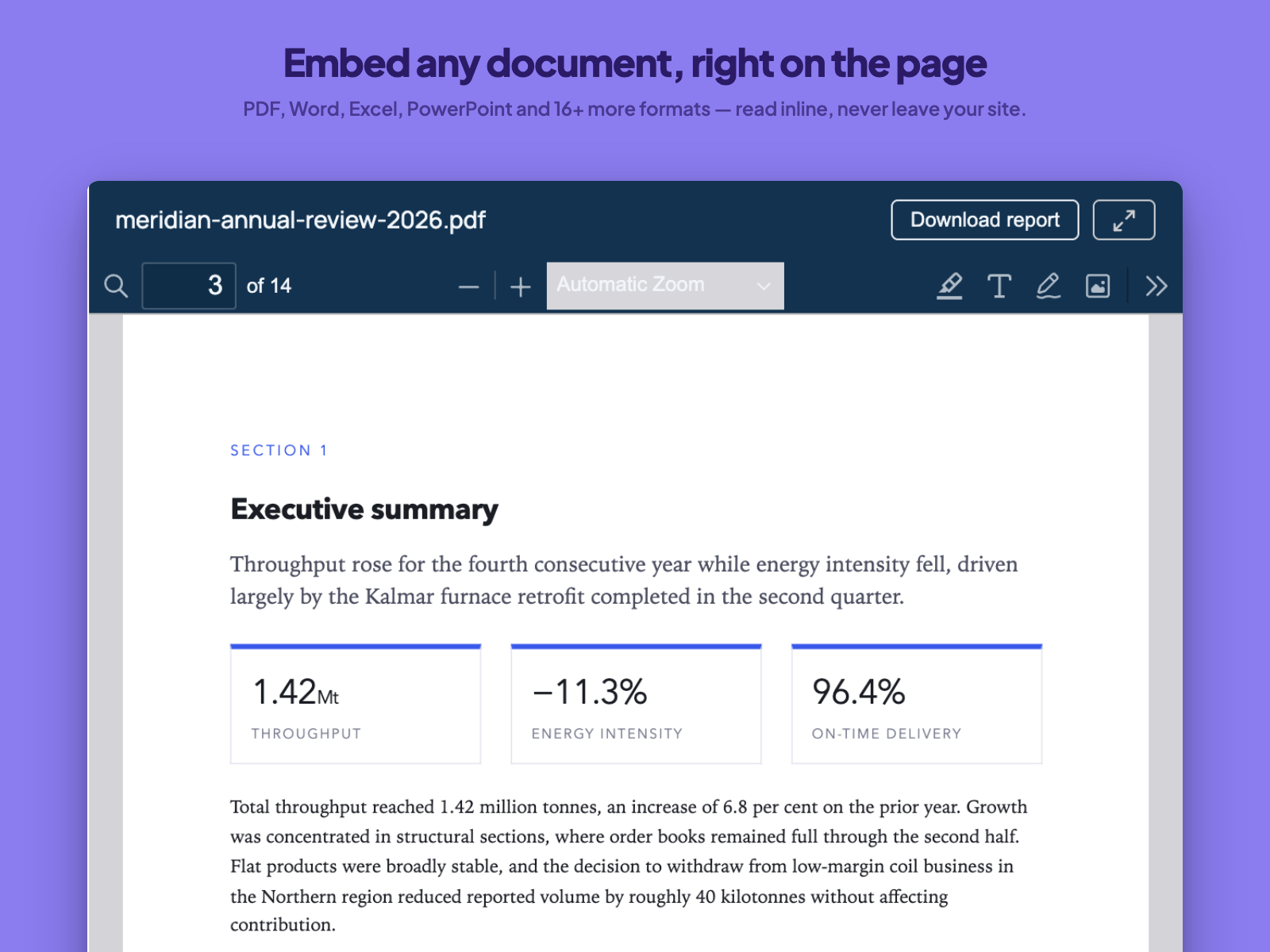
Embed any document, right on the page — PDF, Word, Excel, PowerPoint and 16+ more formats — read inline, never leave your site.
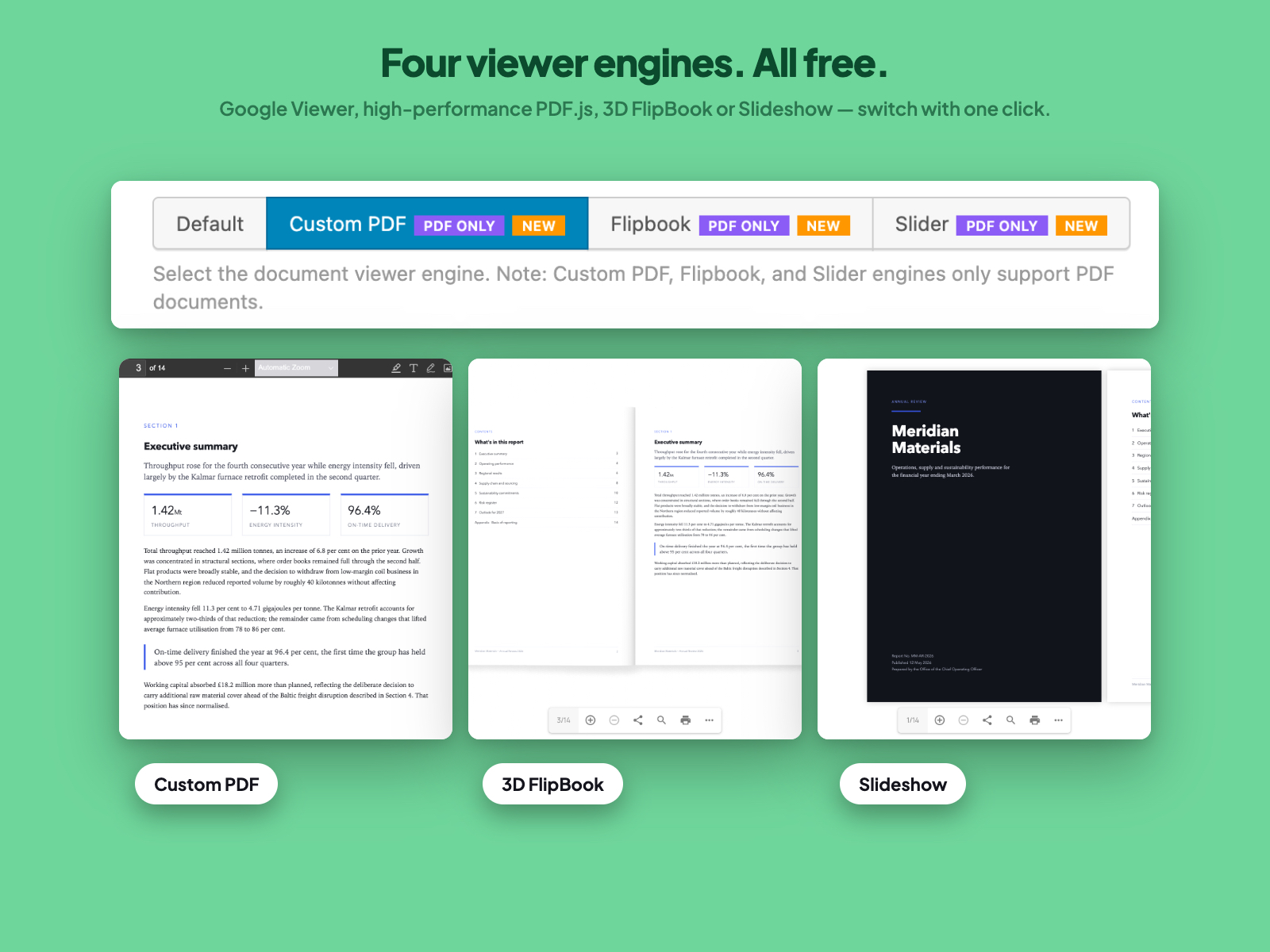
Four viewer engines. All free. — Google Viewer, high-performance PDF.js, 3D FlipBook or Slideshow — switch with one click.
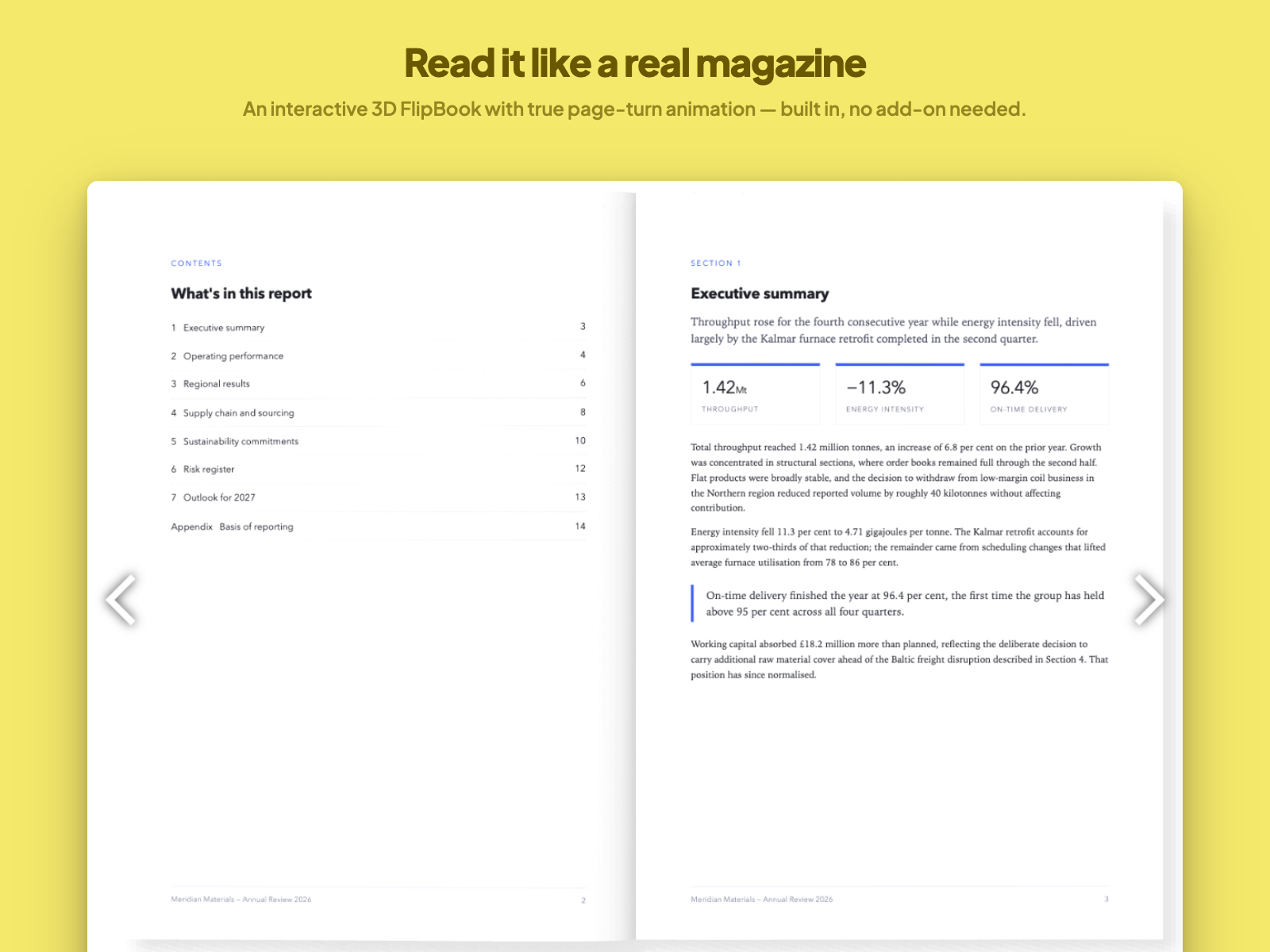
Read it like a real magazine — An interactive 3D FlipBook with true page-turn animation — built in, no add-on needed.
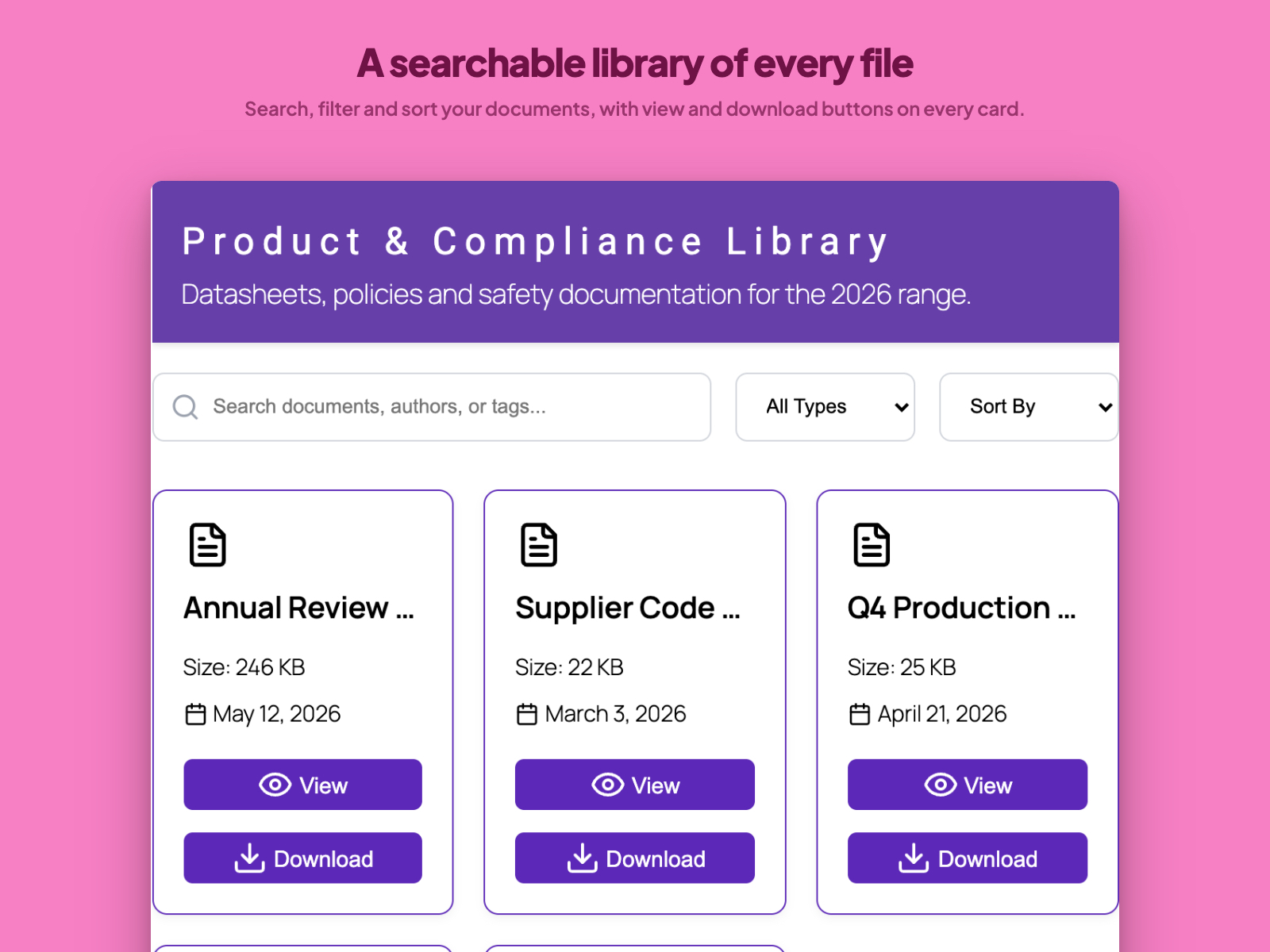
A searchable library of every file — Search, filter and sort your documents, with view and download buttons on every card.
![Insert it with one block — A native Gutenberg block with every control in the sidebar — or the [doc] shortcode anywhere.](https://ps.w.org/document-emberdder/assets/screenshot-5.jpg?rev=3671115)
Insert it with one block — A native Gutenberg block with every control in the sidebar — or the [doc] shortcode anywhere.
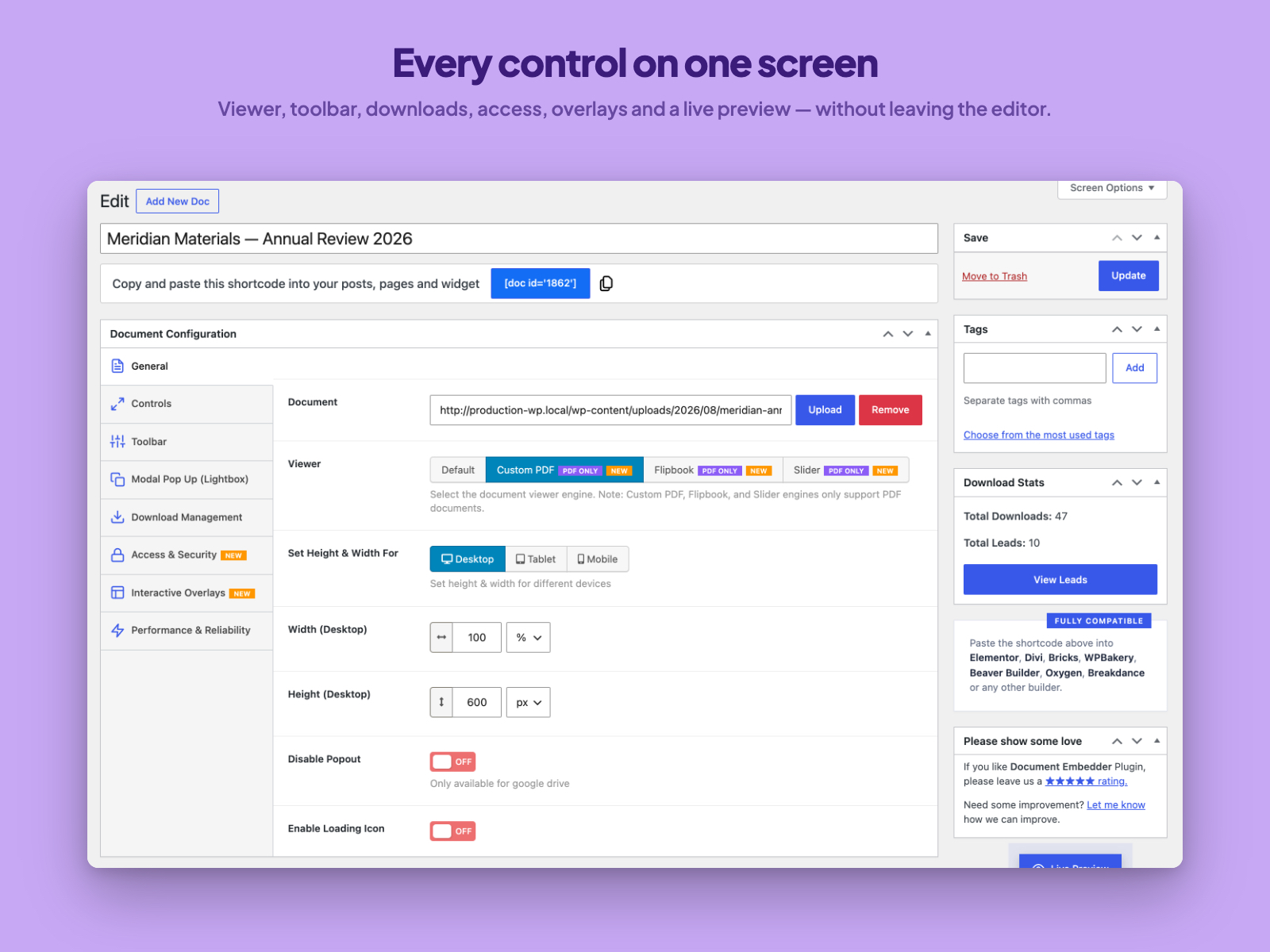
Every control on one screen — Viewer, toolbar, downloads, access, overlays and a live preview — without leaving the editor.
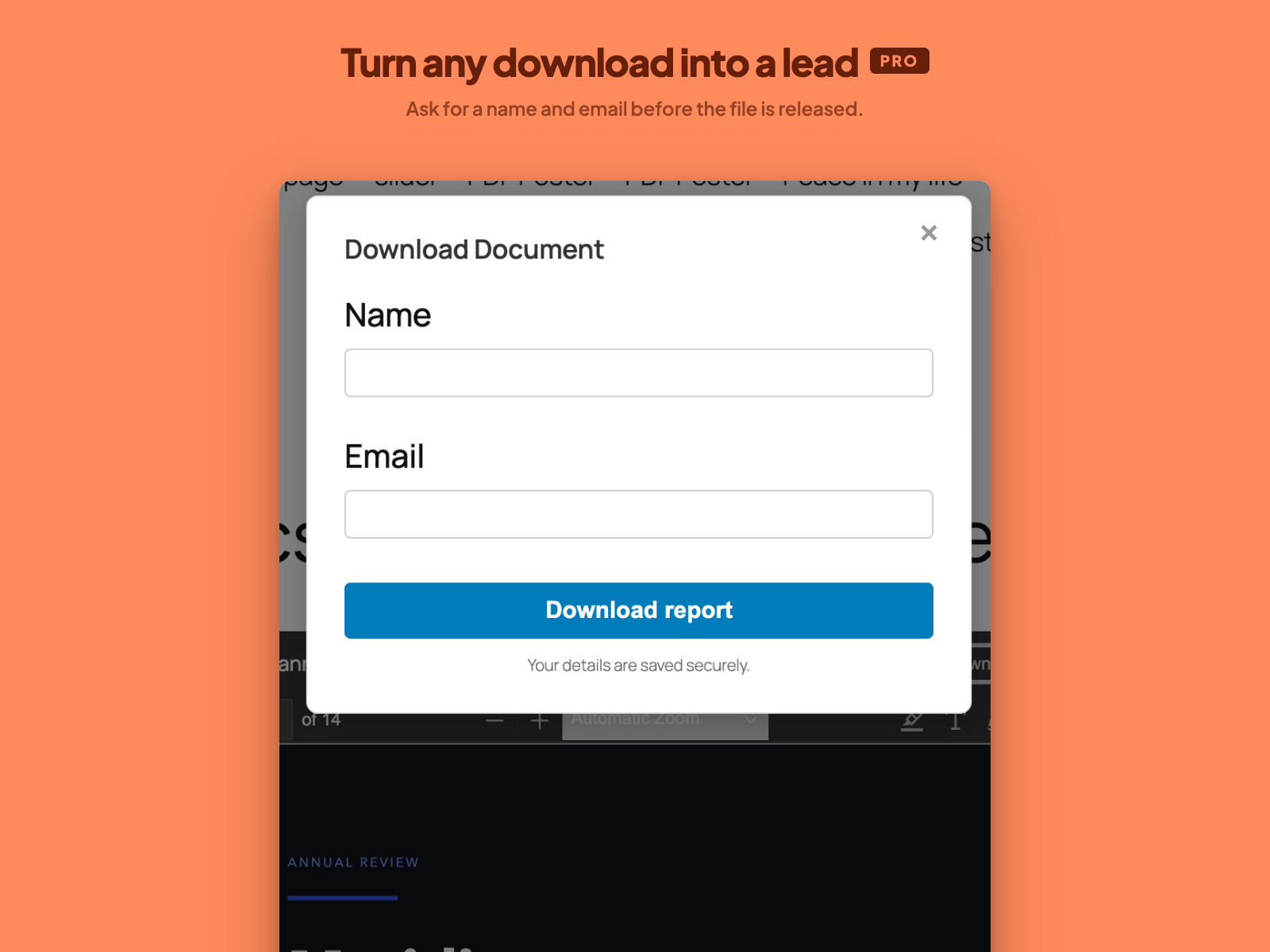
Turn any download into a lead (Pro) — Ask for a name and email before the file is released.
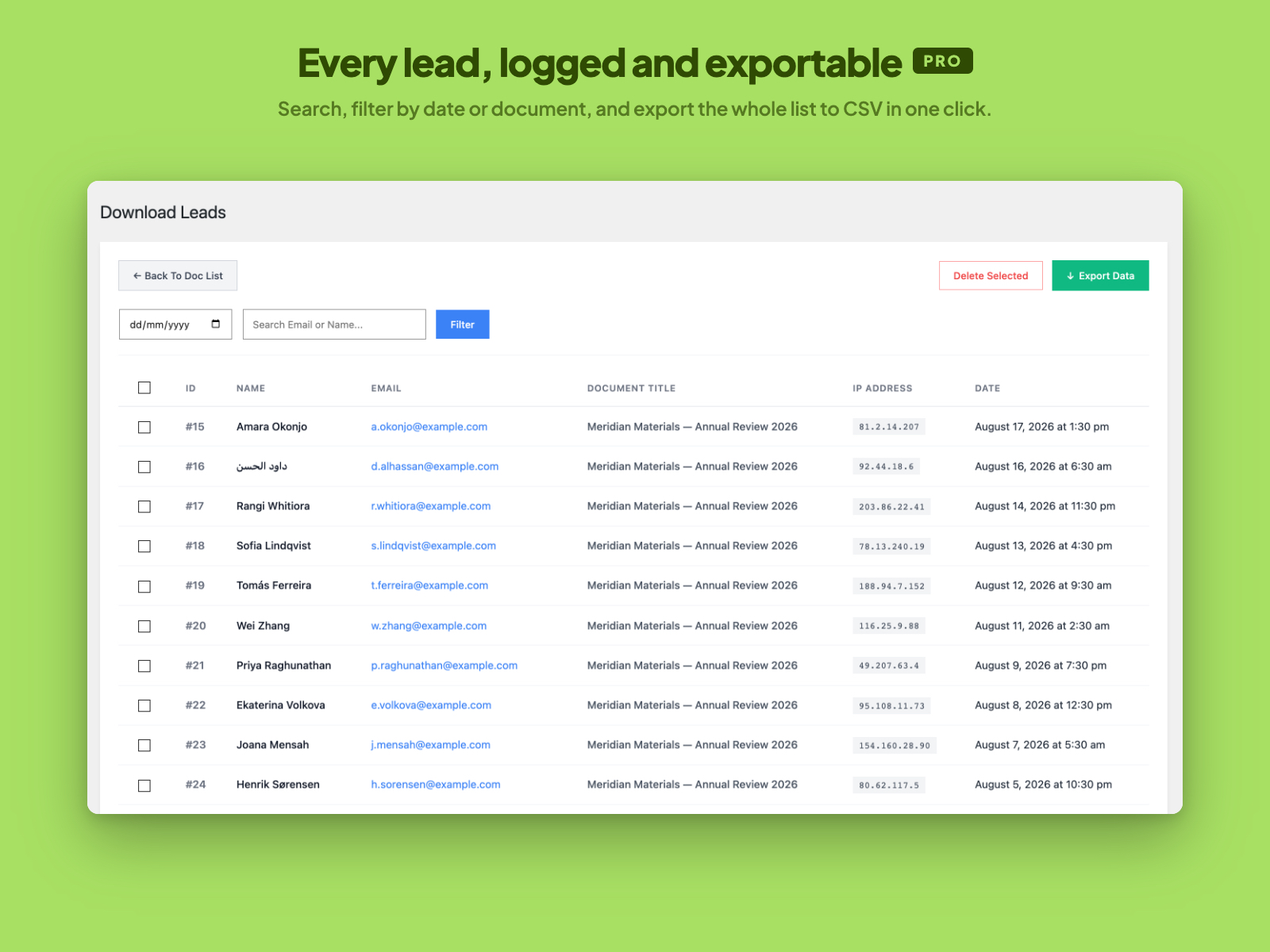
Every lead, logged and exportable (Pro) — Search, filter by date or document, and export the whole list to CSV in one click.
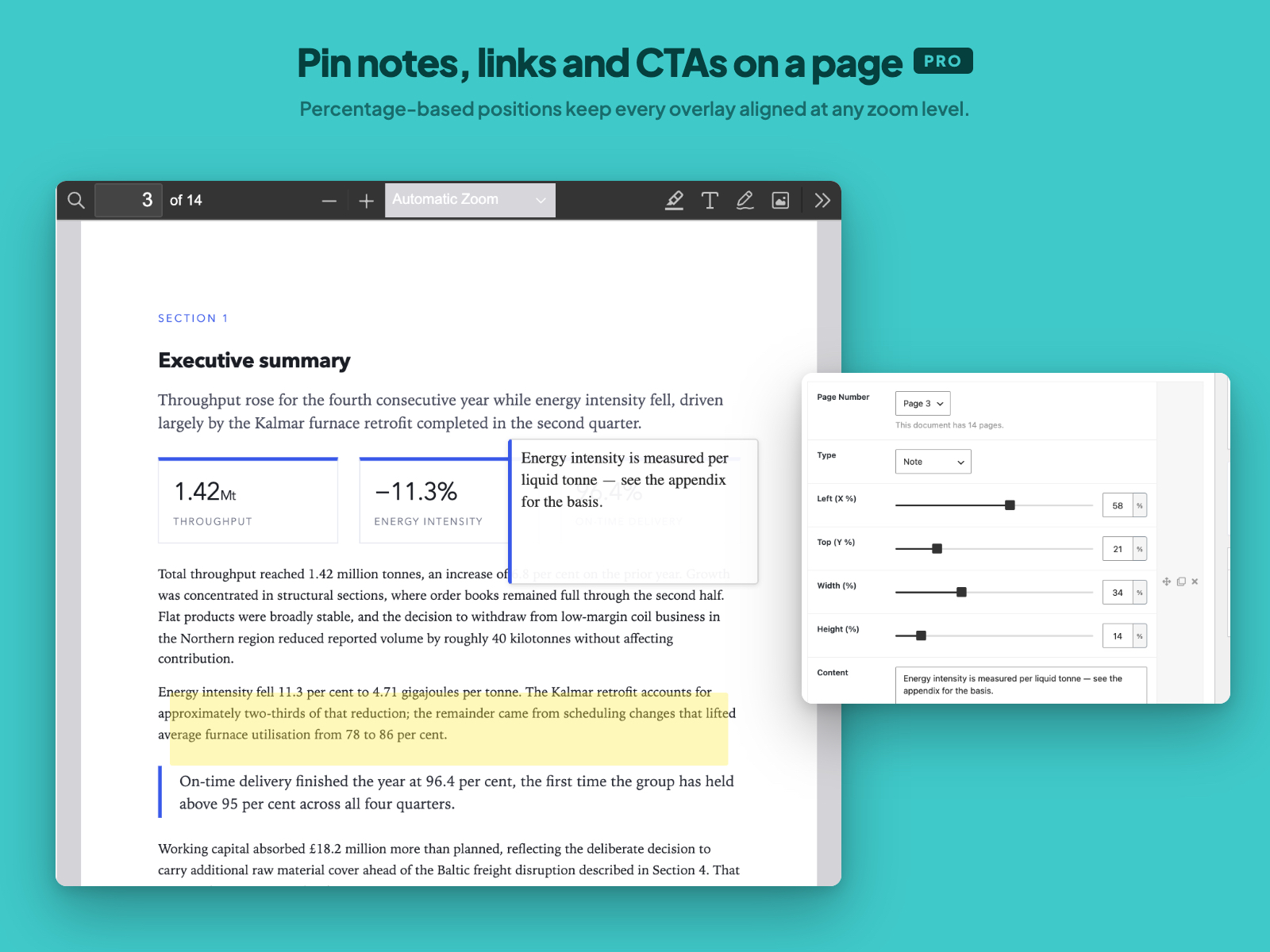
Pin notes, links and CTAs on a page (Pro) — Percentage-based positions keep every overlay aligned at any zoom level.
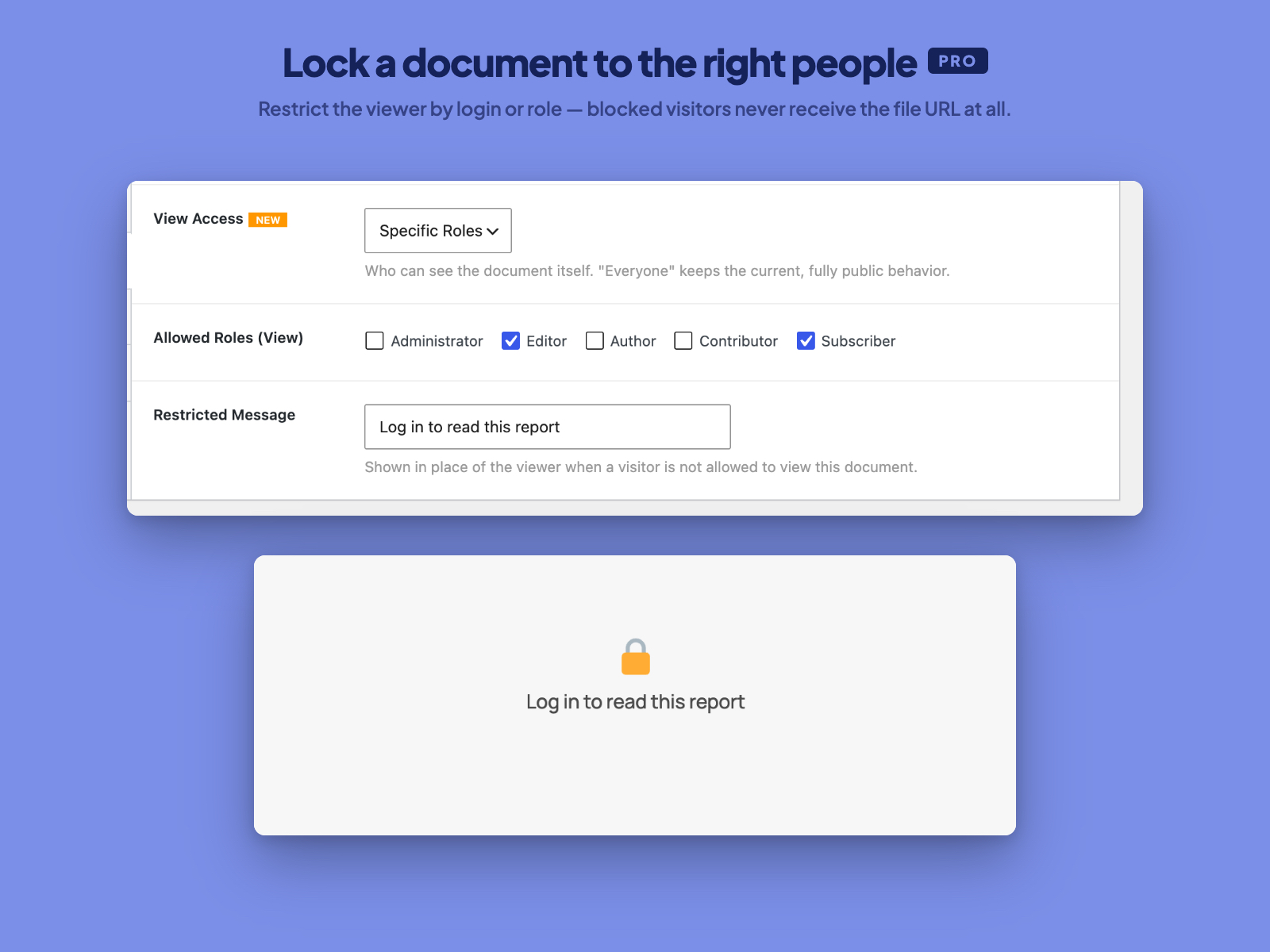
Lock a document to the right people (Pro) — Restrict the viewer by login or role — blocked visitors never receive the file URL at all.
Plugins semelhantes


Embed PDF files in WordPress with a responsive PDF viewer, flipbook, shortcode and Gutenberg block, plus print, download and view analytics.
Do mesmo author (bPlugins)

Responsive HTML5 video player for WordPress. Embed MP4, WebM, OGG, YouTube & Vimeo with shortcodes or blocks – customizable, fast, SEO-friendly.
Embed PDF files in WordPress with a responsive PDF viewer, flipbook, shortcode and Gutenberg block, plus print, download and view analytics.

Maximize your WordPress site's potential with our versatile HTML5 Audio Player plugin. Seamlessly play .mp3, .wav, .ogg, and more audio files.

Responsive sliders from images, posts, WooCommerce, videos or blocks — or start from 50+ ready-made templates. Block editor & shortcode.

Easily showcase visual differences between two images with an interactive before-and-after slider – no coding required!
Embed self-hosted MP4, HLS (.m3u8), and DASH videos with a responsive video player featuring playlists, subtitles, and Gutenberg support.