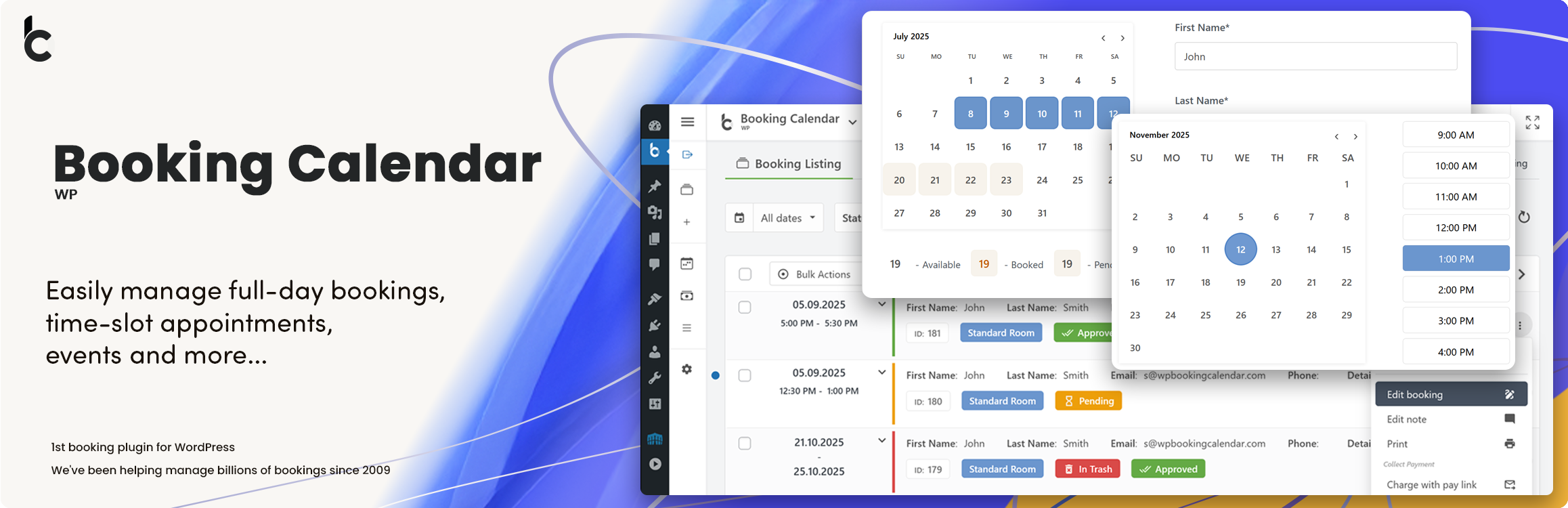
Appointment scheduling & event booking plugin for WordPress. Let clients self-schedule 24/7, register for events, and pay at booking.
Booking Calendar
Hospedagem WordPress com plugin WP Booking Calendar
Onde hospedar o plugin WP Booking Calendar?
Este plugin pode ser hospedado em qualquer provedor que possua WordPress configurado. Recomendamos escolher uma hospedagem confiável, com servidores especializados para WordPress, como o serviço de hospedagem WordPress da MCO2.
Hospedando o plugin WP Booking Calendar em uma empresa de hospedagem de confiança
A MCO2, além de configurar e instalar o WordPress na versão mais atualizada para seus clientes, oferece o plugin WP SafePress, um mecanismo exclusivo que protege e melhora seu site ao mesmo tempo.
Por que a Hospedagem WordPress funciona melhor na MCO2?
A Hospedagem WordPress funciona melhor pois a MCO2 possui servidores otimizados para WordPress. A instalação de WordPress é diferente de uma instalação trivial, pois habilita imediatamente recursos como otimização de imagens e fotos, proteção da página de login, bloqueio de atividades suspeitas diretamente no firewall, cache avançado e HTTPS ativado por padrão. São plugins que potencializam seu WordPress para a máxima segurança e o máximo desempenho.
Booking Calendar – Booking Plugin for Appointments, Reservations, Rentals, Events
WP Booking Calendar is a flexible WordPress booking plugin for appointments, reservations, rentals, and events. Add a responsive availability calendar and booking form to your website, accept online bookings, and manage them from a modern admin panel.
Use Booking Calendar for full-day bookings, time-slot appointments, service scheduling, event registration, inquiry forms, request forms, or even as a simple multi-step contact form with built-in request listing and email notifications.
Features | See Demos | FAQ | Get Support
Best for appointments, service scheduling, property rentals, equipment rentals, consultations, classes, events, and availability management.
Key Features
- Accept full-day, appointment, and time-slot bookings.
- Display availability and prevent double bookings.
- Create customizable booking and inquiry forms.
- Manage, approve, decline, and edit bookings in WordPress.
- Send email notifications to administrators and customers.
- Build multi-step forms with the Drag & Drop Form Builder.
- Block unavailable dates and time intervals.
- Synchronize bookings using .ics feeds.
- Import Google Calendar events.
- Use responsive booking forms on desktop and mobile.
Booking Calendar for Different Businesses
Use Booking Calendar for appointment scheduling, service reservations, property and equipment rentals, consultations, classes, events, and other availability-based bookings.
Booking Calendar Free includes the essential tools for displaying availability, accepting booking requests, preventing double bookings, sending notifications, and managing reservations in WordPress.
Paid editions add multiple booking resources, online payments, seasonal pricing, advanced availability rules, availability search, and MultiUser administration.
Full-Day Booking Process in Booking Calendar Free
Let visitors complete a full-day property booking through a clear two-step flow. Customers select a property, review available, booked, and pending dates, choose their check-in and check-out dates, enter their contact details, and submit the booking request. The confirmation displays the complete booking summary and provides an option to add the selected dates to Google Calendar.
Appointment Booking with Services and Providers
Let visitors book appointments through a simple step-by-step flow. Customers choose a Service and an available Provider, select a date and start time, enter their contact details, and submit the booking. The confirmation displays the complete appointment details and provides an option to add the appointment to Google Calendar.
Capturas de tela
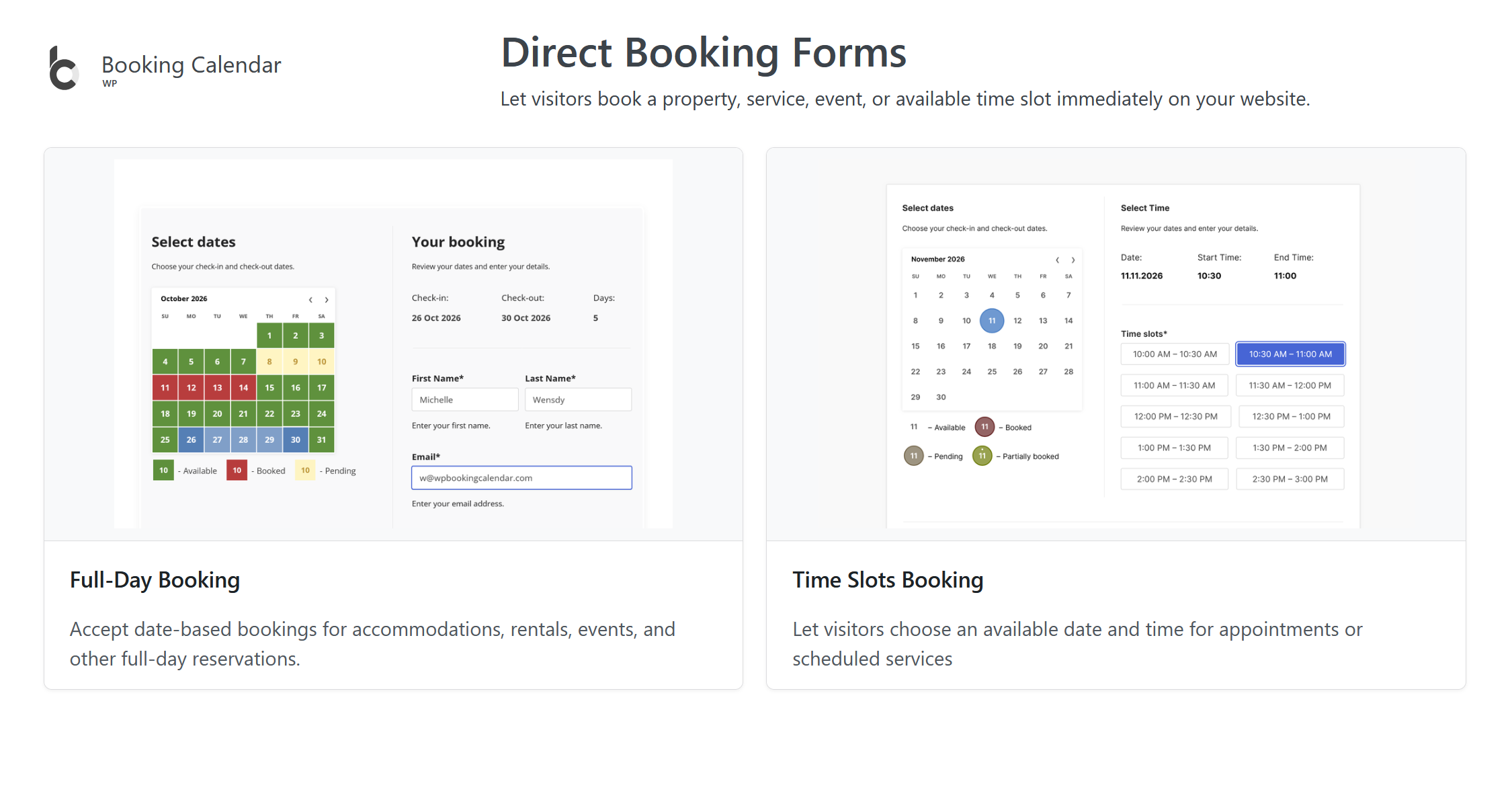
Direct Booking Forms: Let visitors book full days or available time slots immediately on your website.
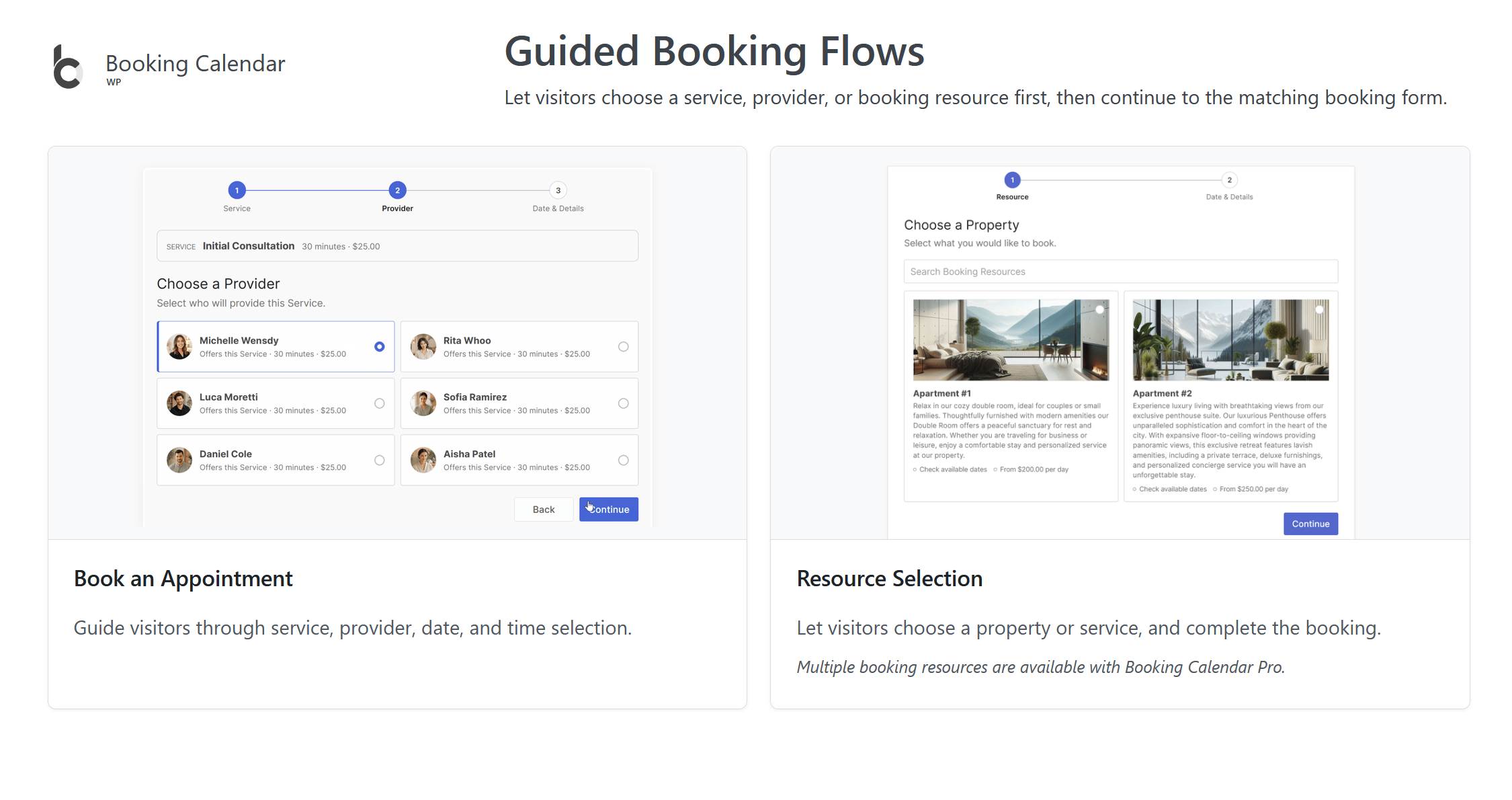
Guided Booking Flows: Let visitors choose a service, provider, or booking resource before continuing to the matching booking form.
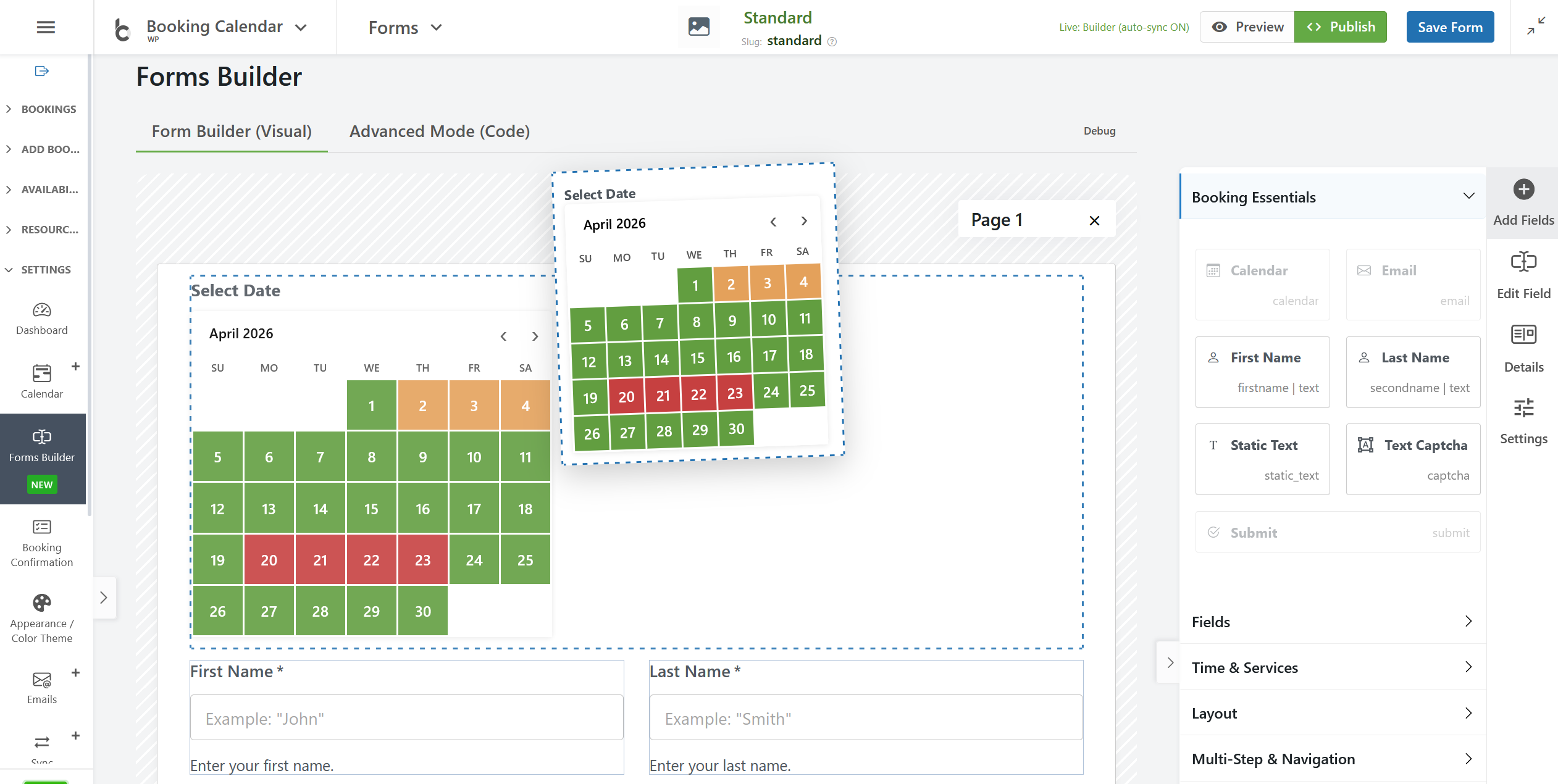
Drag-and-Drop Booking Form Builder: Create and arrange booking forms visually without editing form code or complex shortcodes.
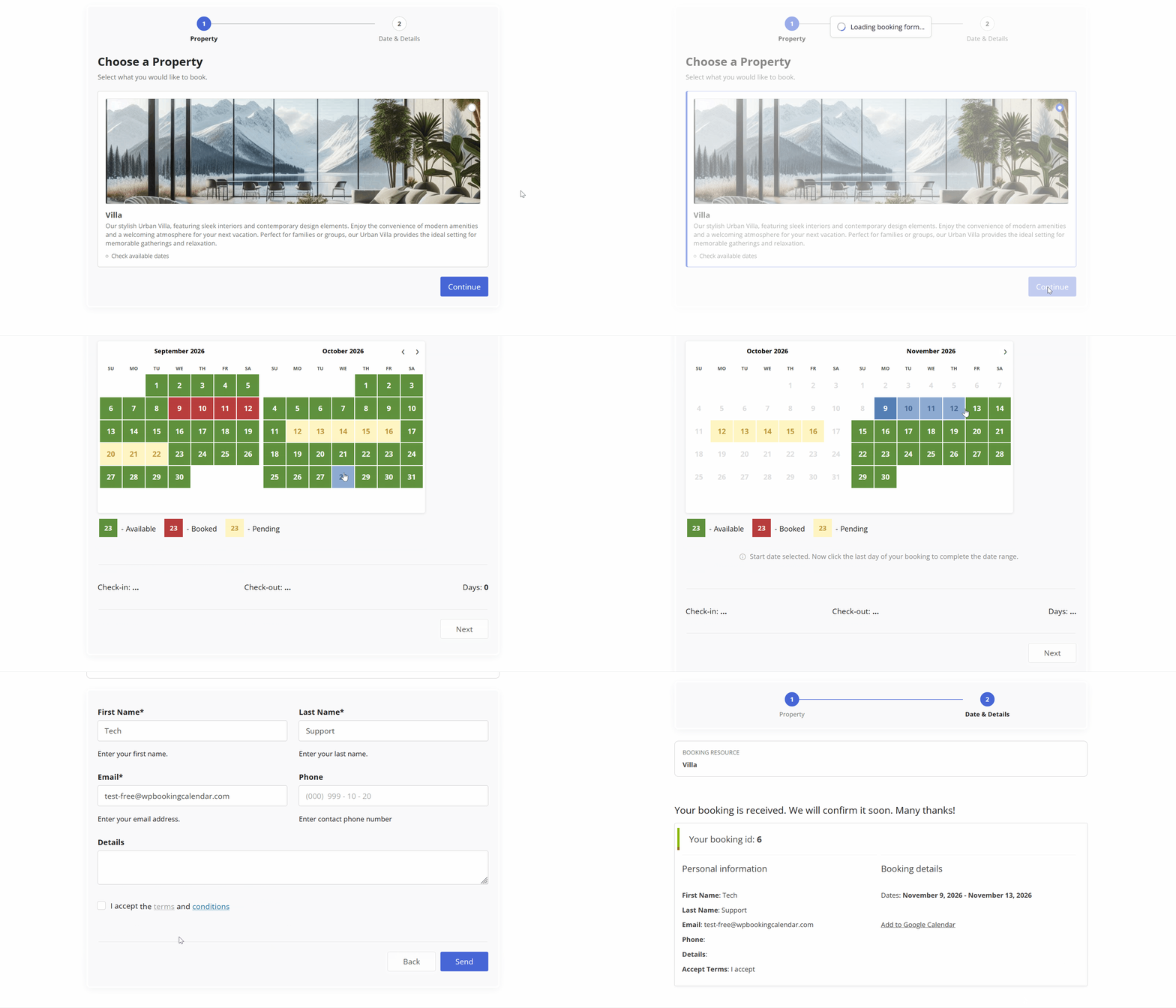
Full-Day Booking Flow (Free): Watch visitors select check-in and check-out dates, enter their details, and submit a booking.
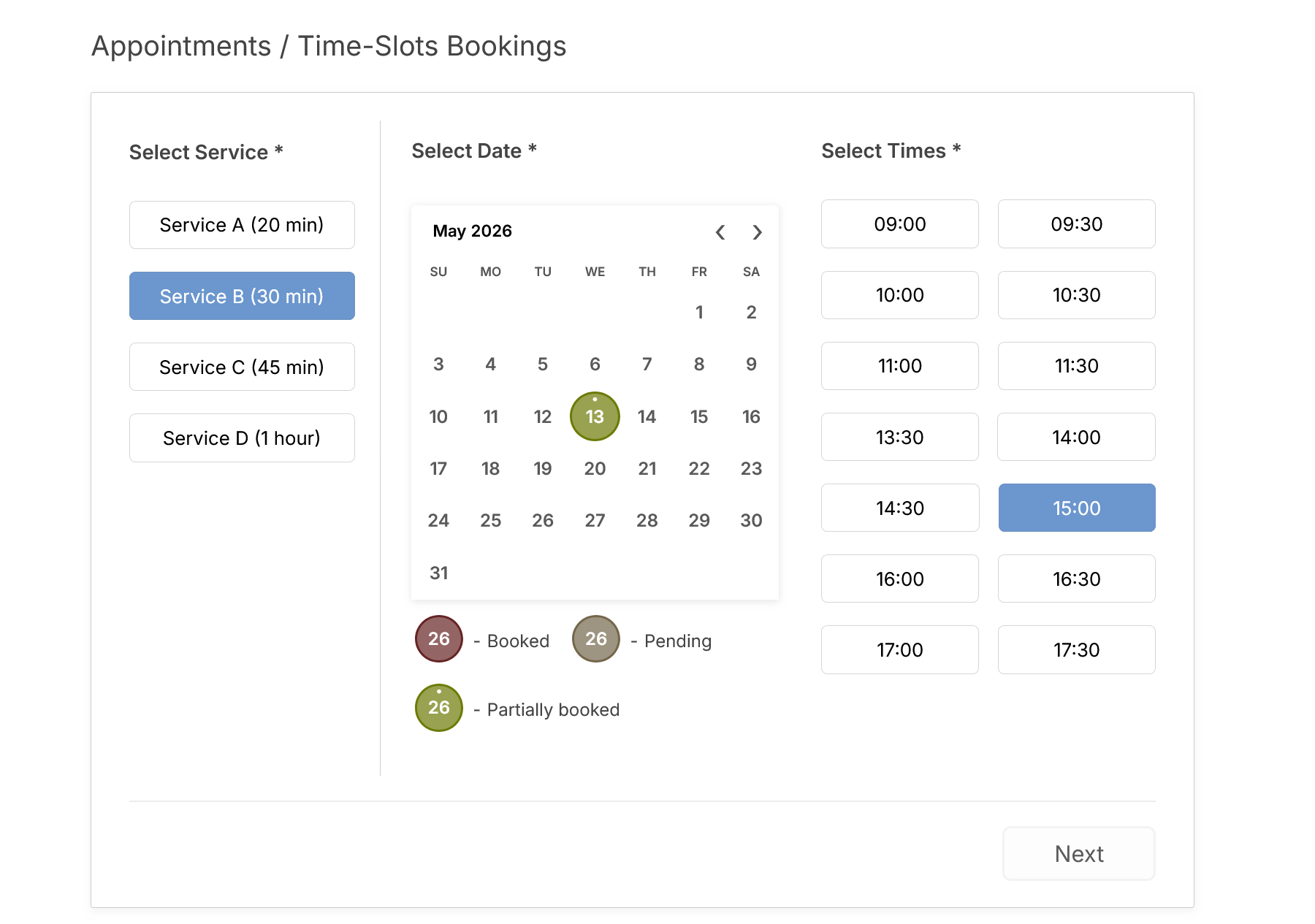
Time-Slot Booking Flow (Free): See how visitors choose a date and available time slot before completing their booking request.
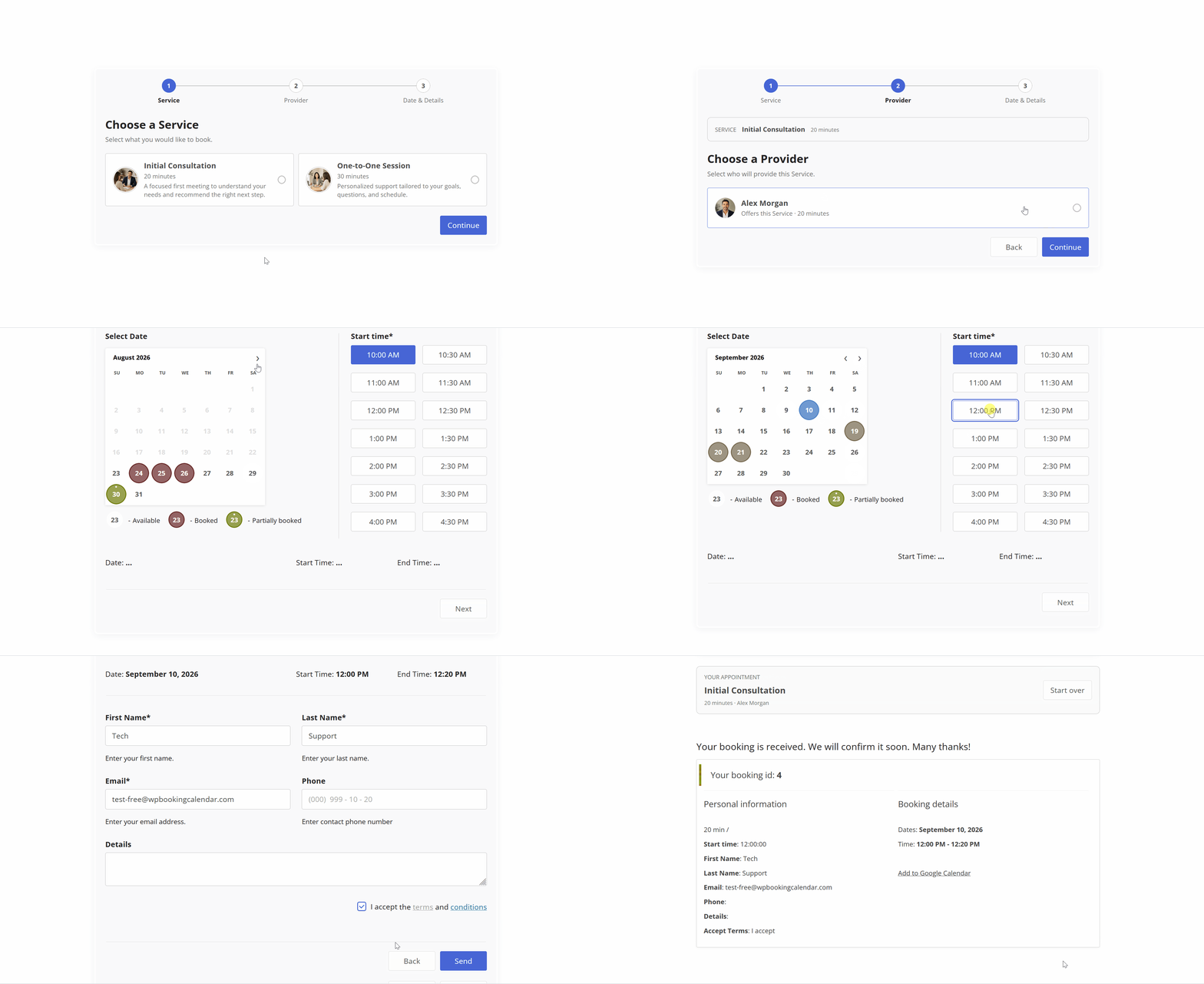
Appointment Booking Flow: Follow the guided journey from choosing a service and provider to selecting a date and time and submitting an appointment.
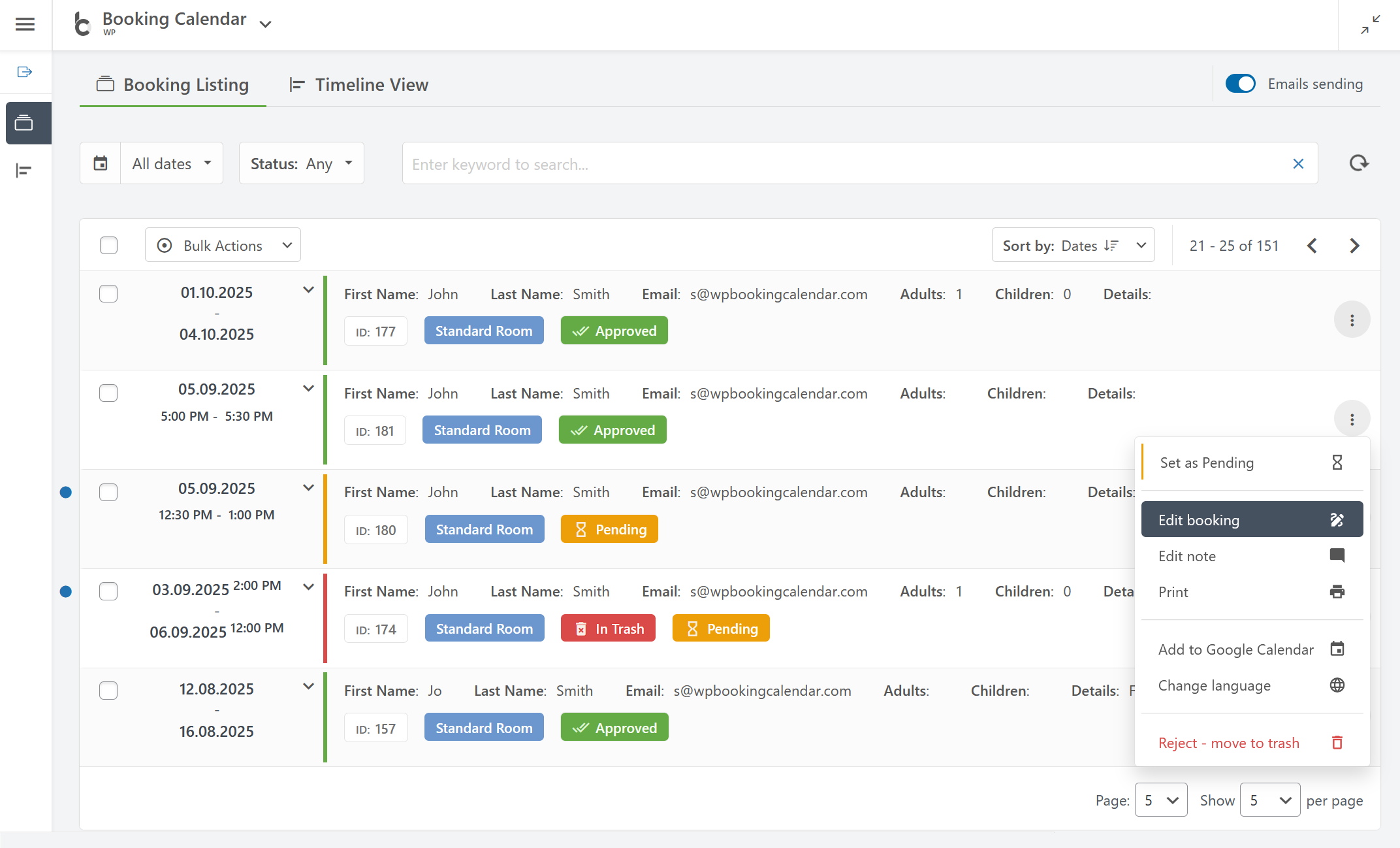
Booking Management: Search, filter, review, approve, and manage all your bookings from one clear administration screen.
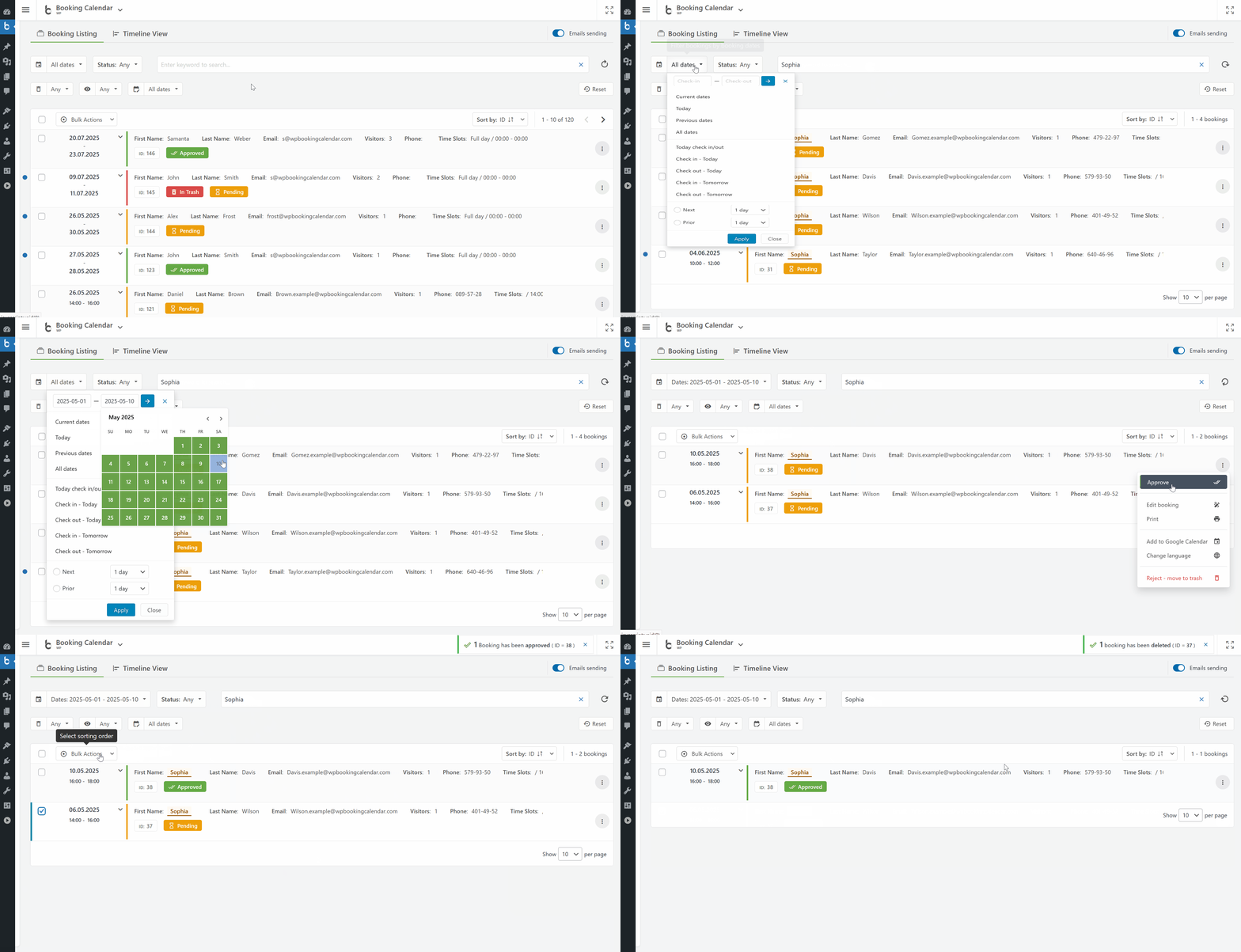
Instant Booking Listing: Search and filter bookings with results that update immediately without a full page reload.
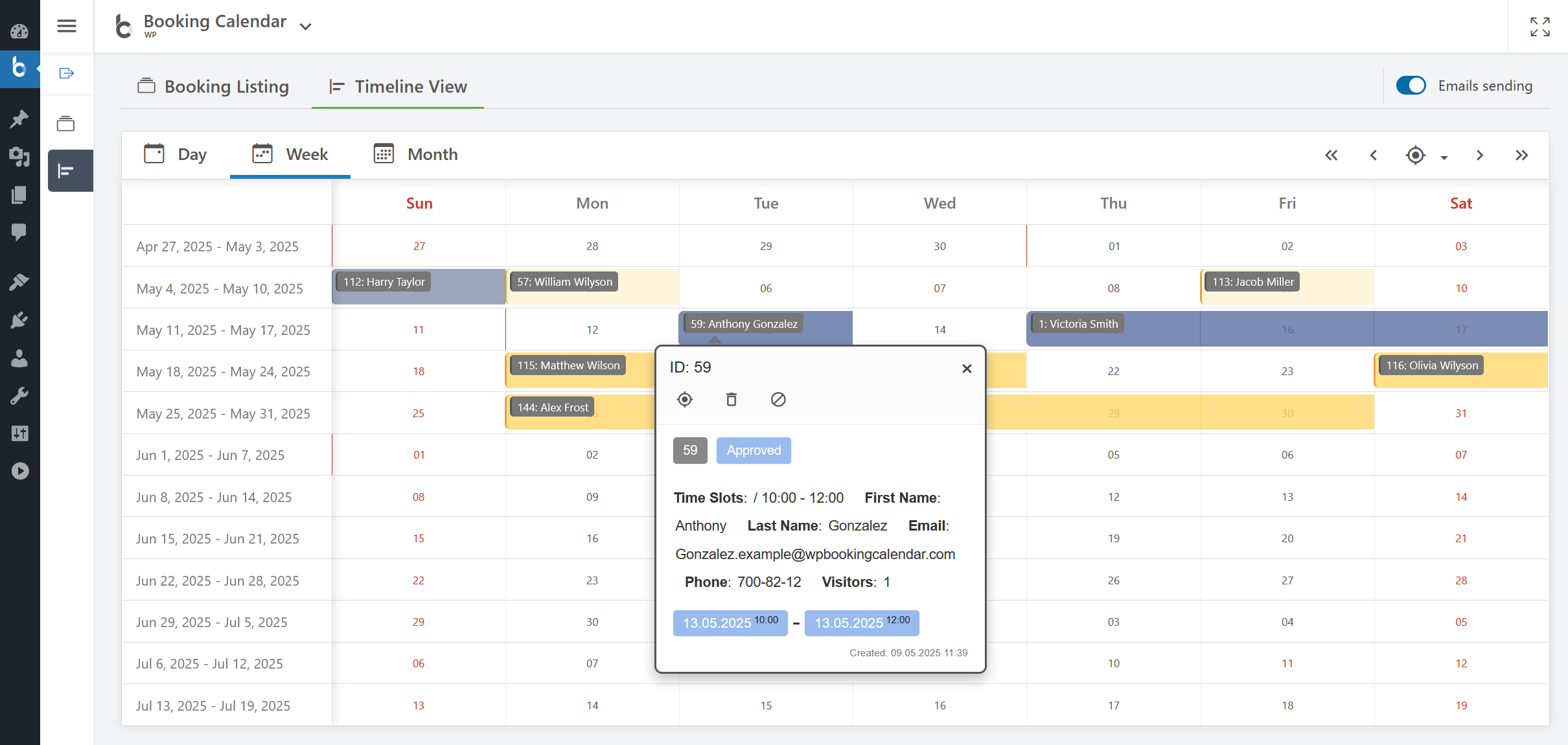
Timeline View: See your bookings and schedule at a glance in a clear calendar timeline.
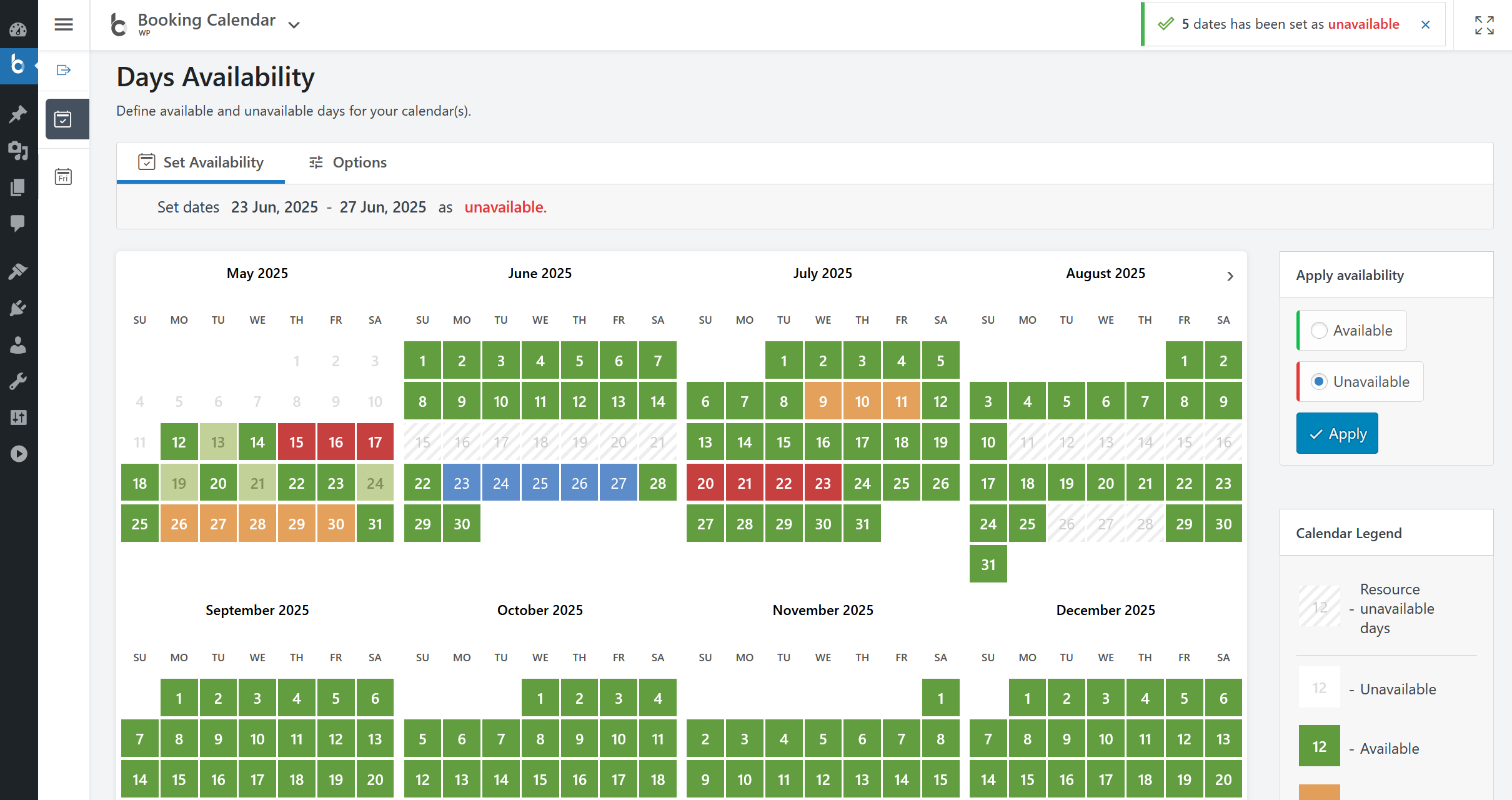
Calendar Availability: Mark dates available or unavailable in just three clicks.
Plugins semelhantes


Amelia is a powerful booking plugin for appointments and events. Manage scheduling, calendars, and availability with an all-in-one booking system.

Appointment booking system for WordPress — schedule appointments, manage calendars, send reminders, take payments. Start booking today!

Events calendar and booking system: bookings, reservations, appointments, scheduling, event registration, tickets and recurring events.

Unlimited appointments, booking calendars, and notifications. Powerful appointment booking plugin and booking system. Start scheduling for free today!

A solução definitiva para agendar compromissos, reuniões, webinars, eventos, chamadas de vendas e mais.